


level up your community with points, milestones & course rewards
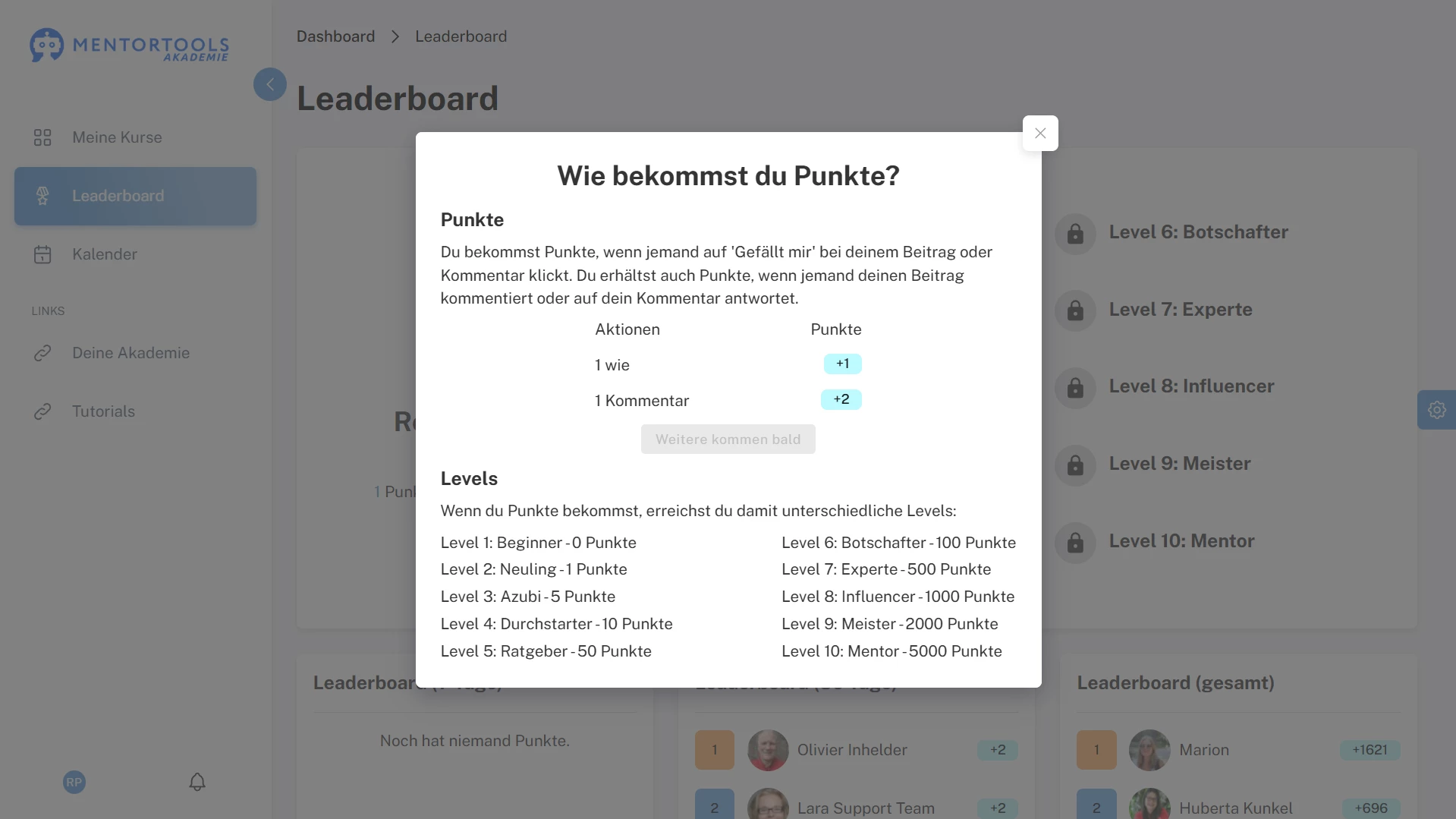
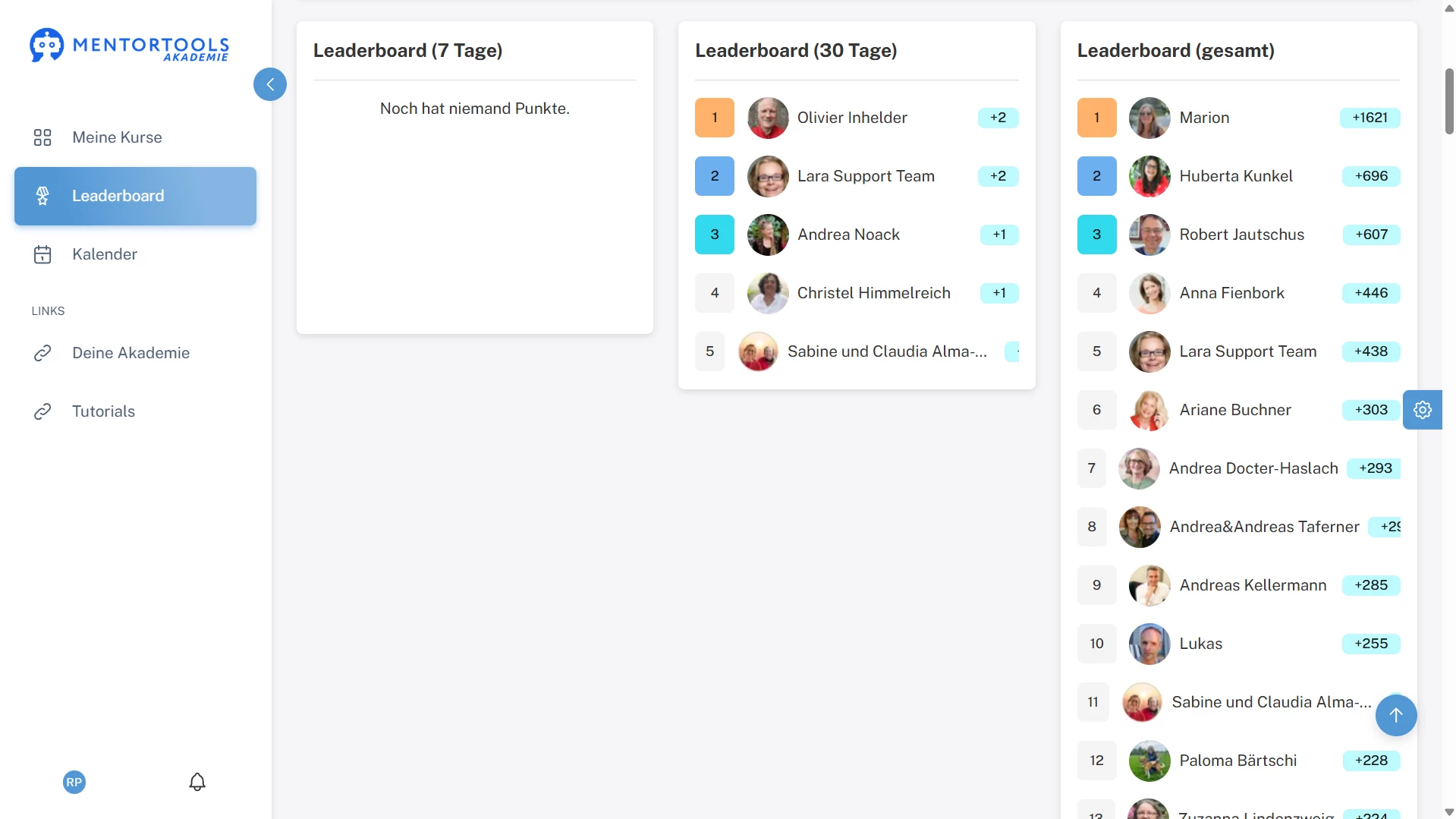
set precise thresholds for each level and attach rewards only where they matter most. the member view explains how to earn points and shows recent progress windows, so effort turns into visible advancement.

rewards where they matter
attach prizes only to select tiers for maximum impact. learners hit milestones and get access automatically.
#1 levels that unlock real rewards
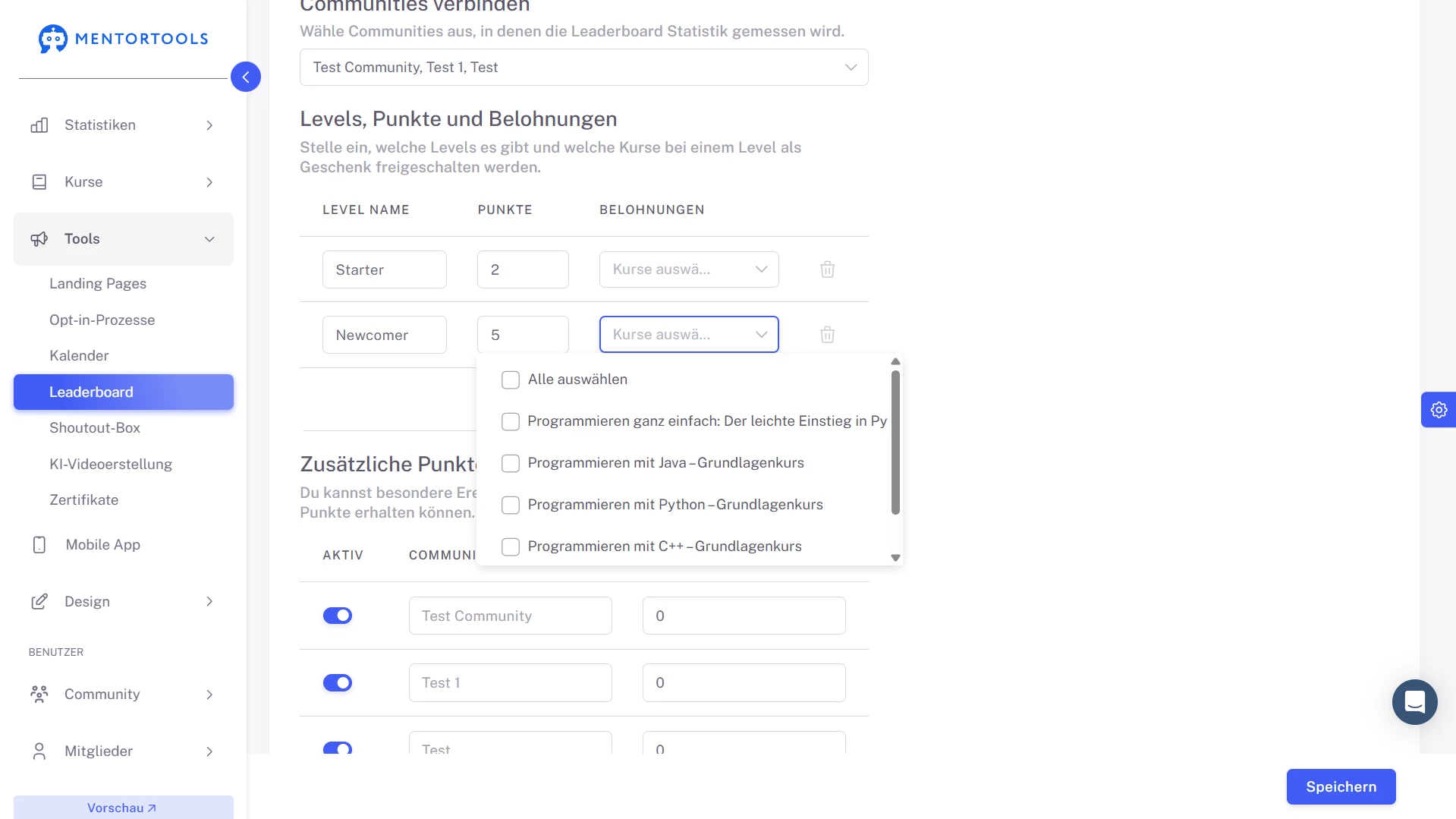
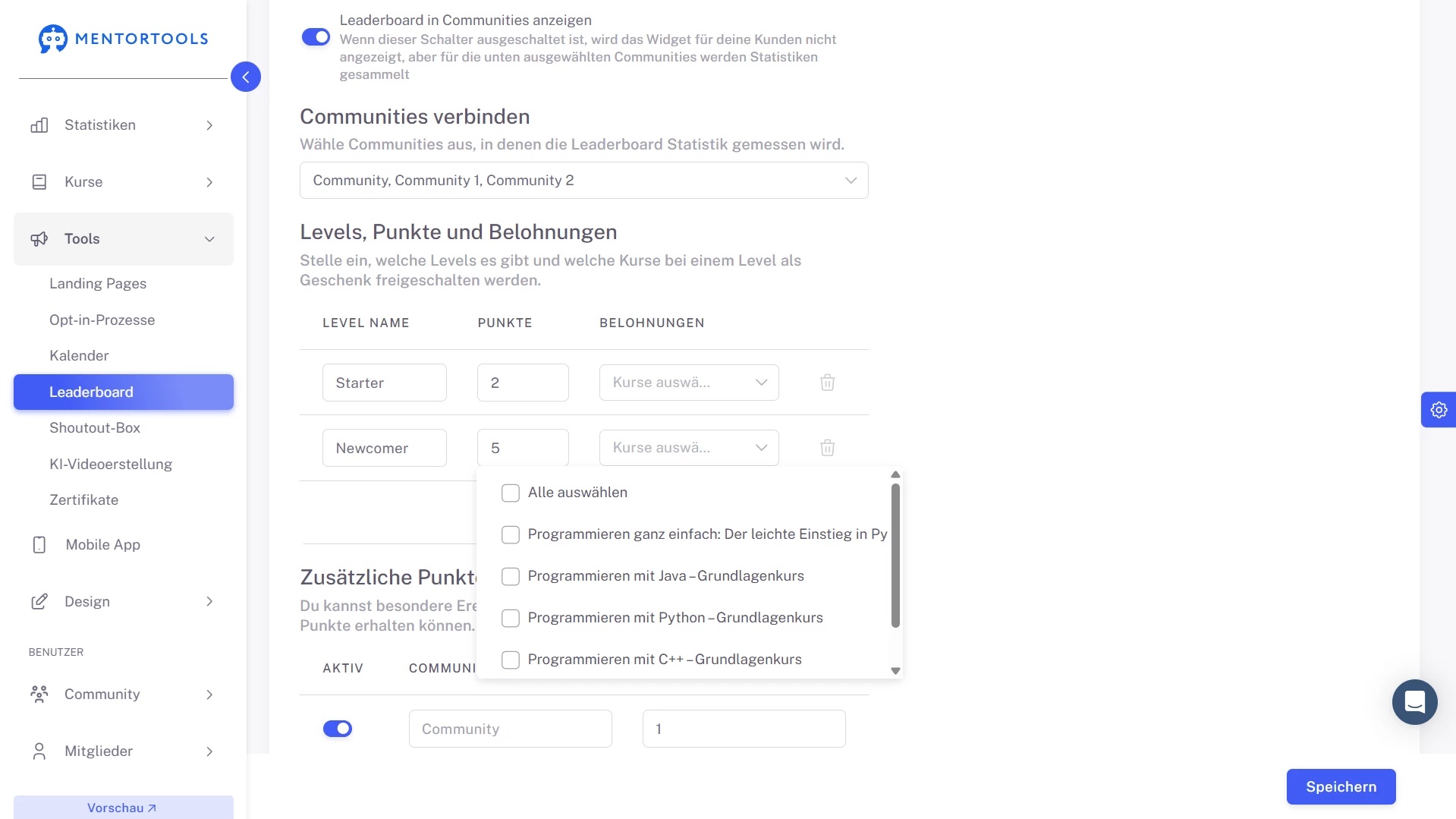
turn participation into progress. name your levels, set exact point thresholds, and attach course rewards that unlock the moment a member reaches a milestone. rewards can be short, high-value mini-courses with videos, images, files, exercises, or audio. members see their current level and how to earn more, so every action feels meaningful and momentum keeps building.
create your finished course
in less than 5 minutes.
#2 dual incentives: points + affiliate option
boost sharing with special events → referrals. give every member a personal link and set how many points a successful invite earns. optionally allow members to add their digistore24 id so referrals can grant leaderboard points and affiliate commissions at the same time. it’s a simple, transparent way to reward growth while keeping all recognition inside mentortools.
#3 clear milestones with custom names & thresholds
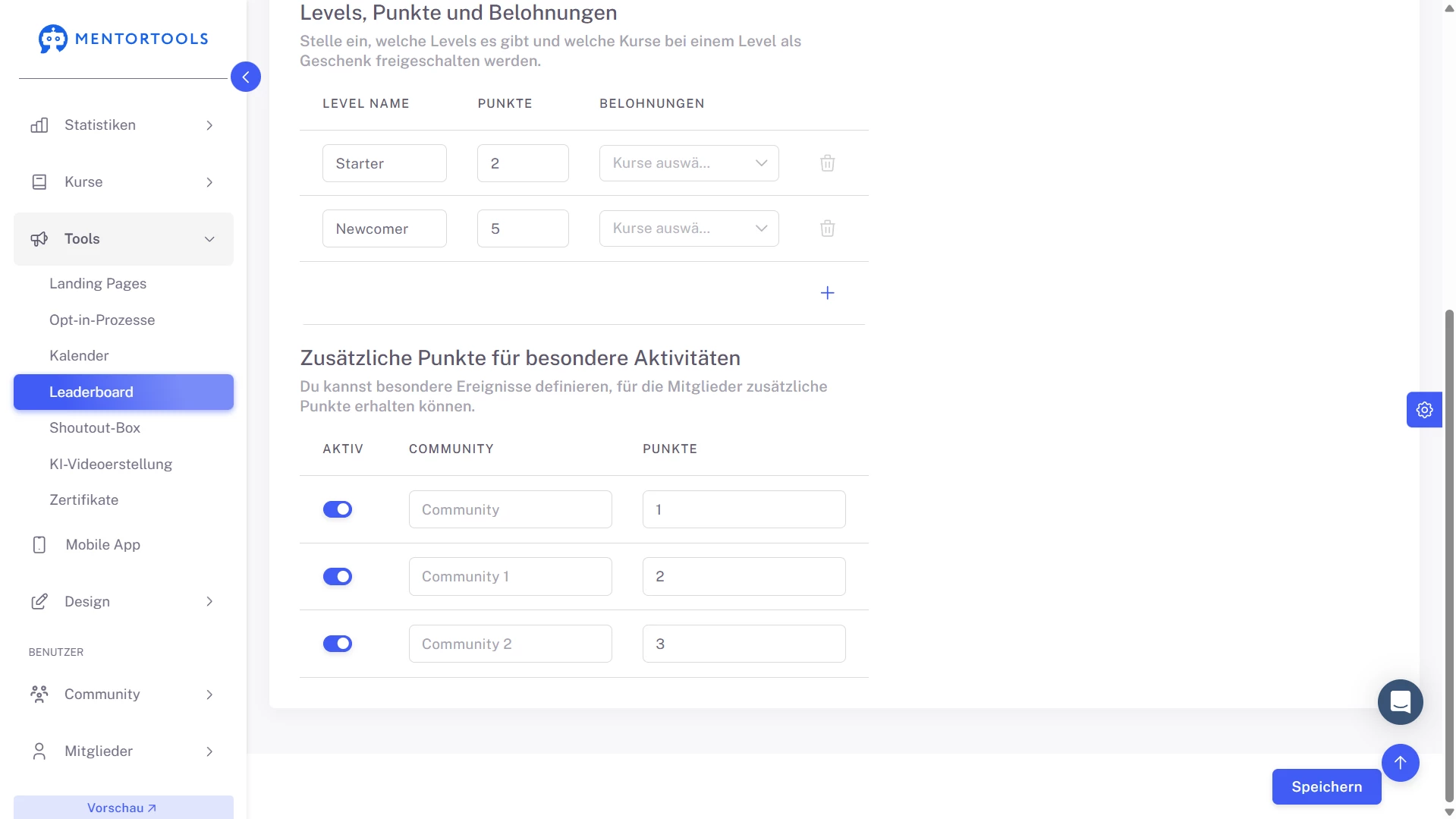
create a path your audience understands at a glance. give levels distinctive names and define the exact points needed to reach each one. a leaderboard requires at least two levels, and you can add more with a click. with milestones visible and achievable, learners know where they stand, what’s next, and why their next action matters.
#4 rewards that deliver instantly
make achievement tangible. when a member crosses a level threshold, mentortools automatically unlocks the course you attached—no codes, manual enrollments, or extra tools.
choose a few key milestones to reward and keep the experience crisp: quick wins for early levels, premium content for higher tiers. incentives arrive right on time, keeping motivation high.
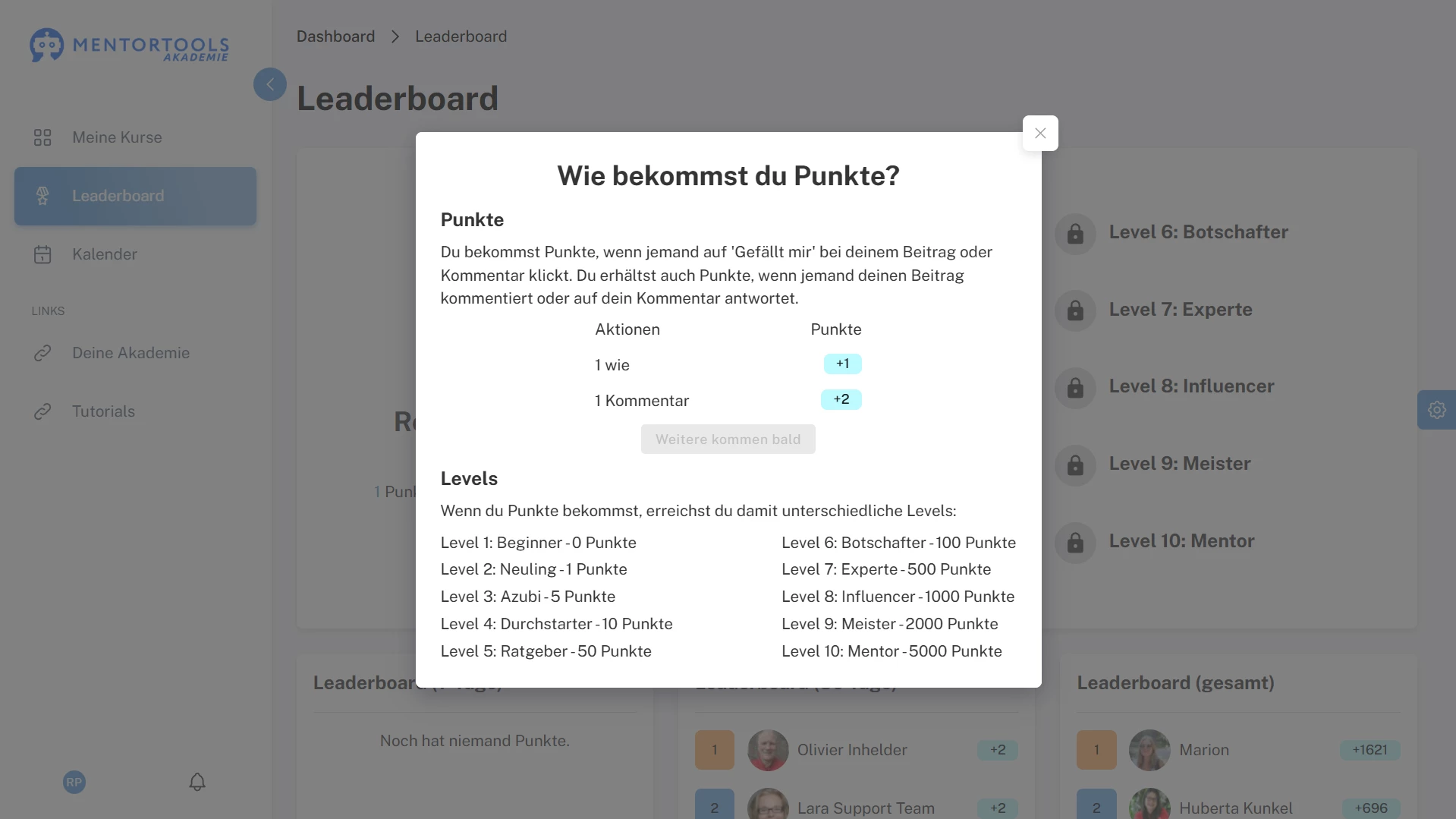
#5 member view: level, rules & recent activity
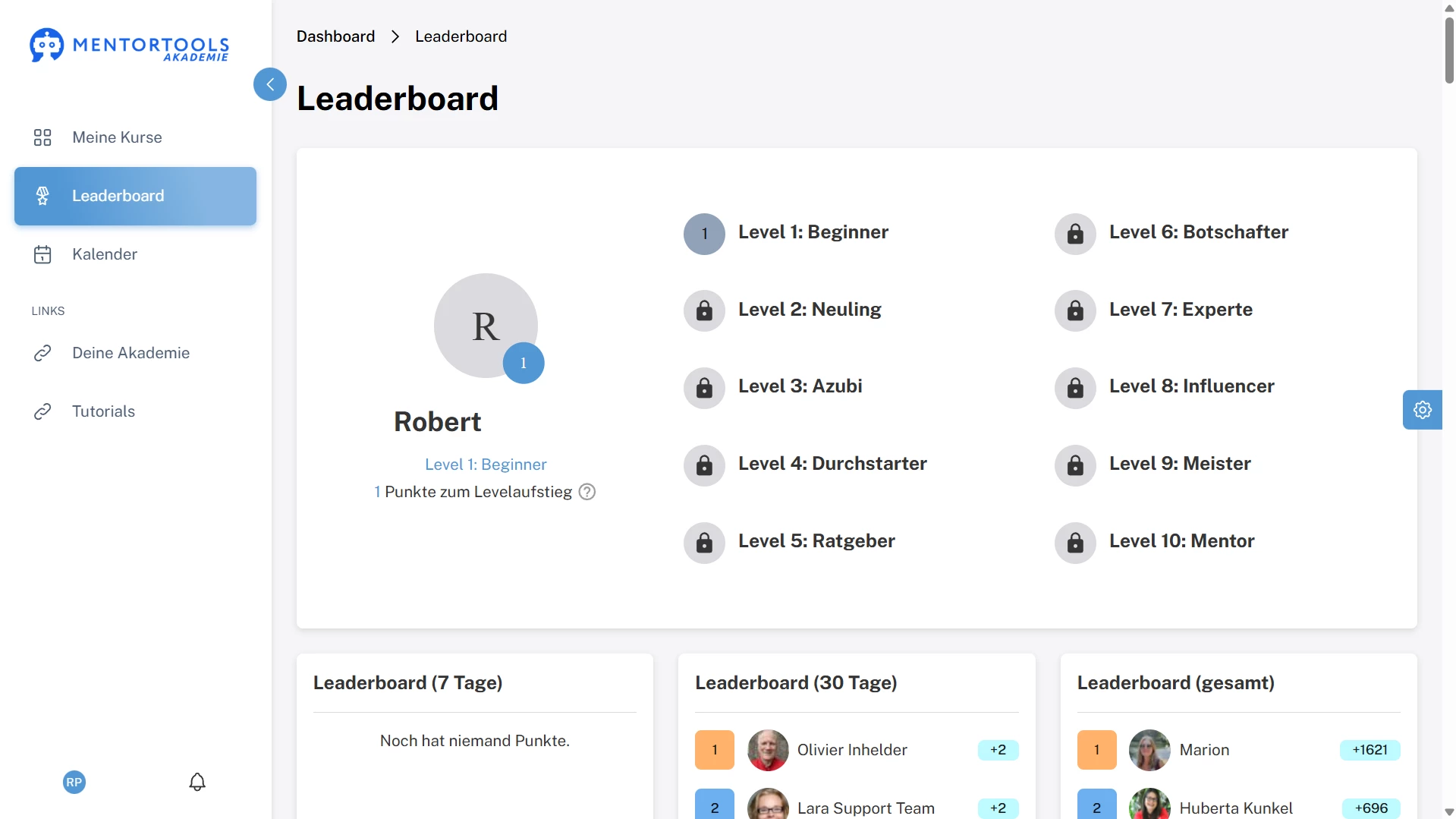
keep the earning system transparent. in the member area, people see their current level, a help panel explaining exactly how to collect points, and activity summaries for the last 7 days, last 30 days, and all-time.
with rules and progress visible, expectations are clear, disputes are rare, and members stay focused on the behaviors you want to encourage.
#6 incentives per community—your rules
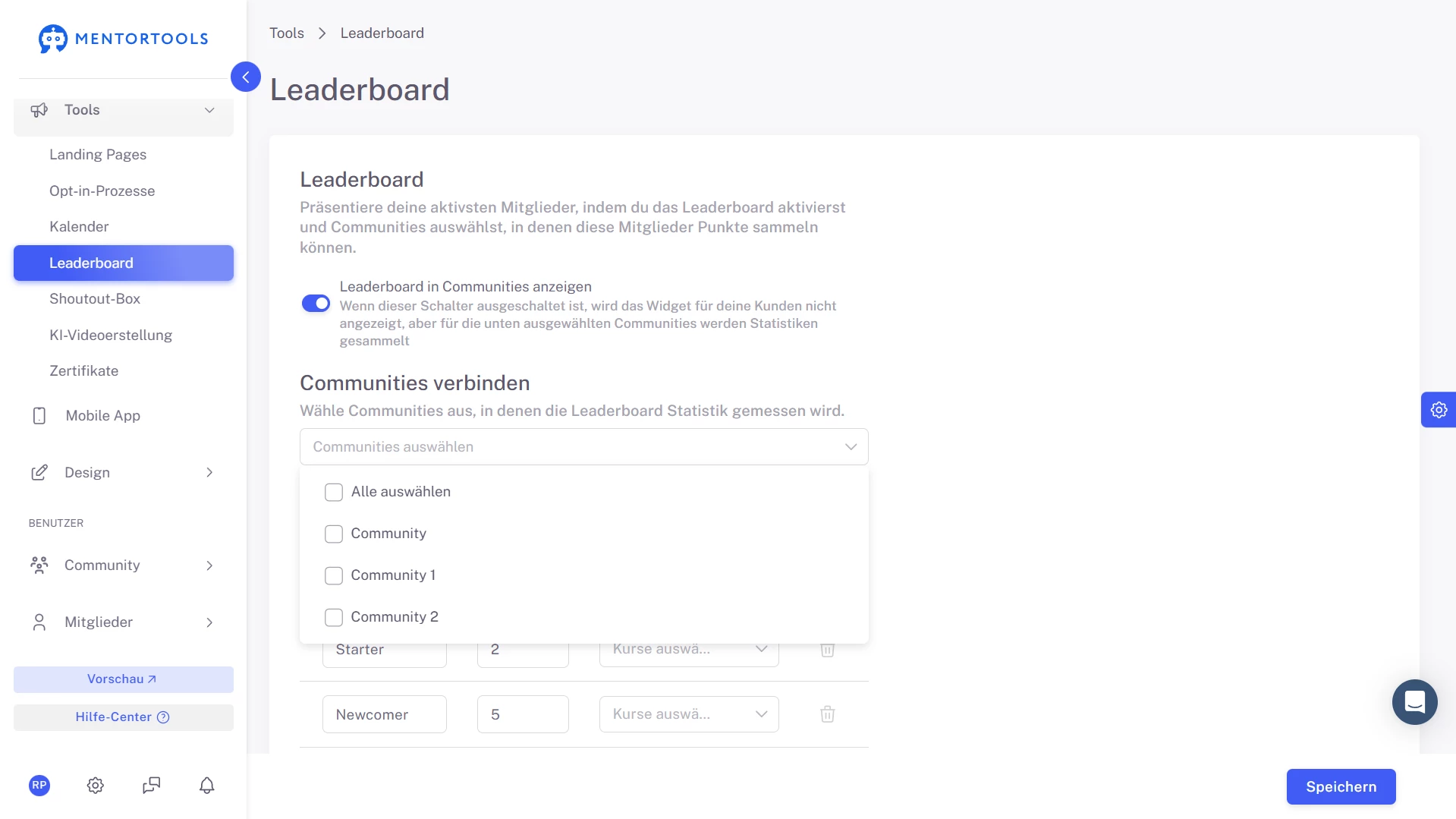
decide where the leaderboard appears and where it gathers points. link it to the communities that should display standings, and choose separately which communities contribute activity.
set referral points per community when you run special events. this control keeps recognition relevant to each space while your overall incentive model stays consistent.
#7 read-only announcements to support levels
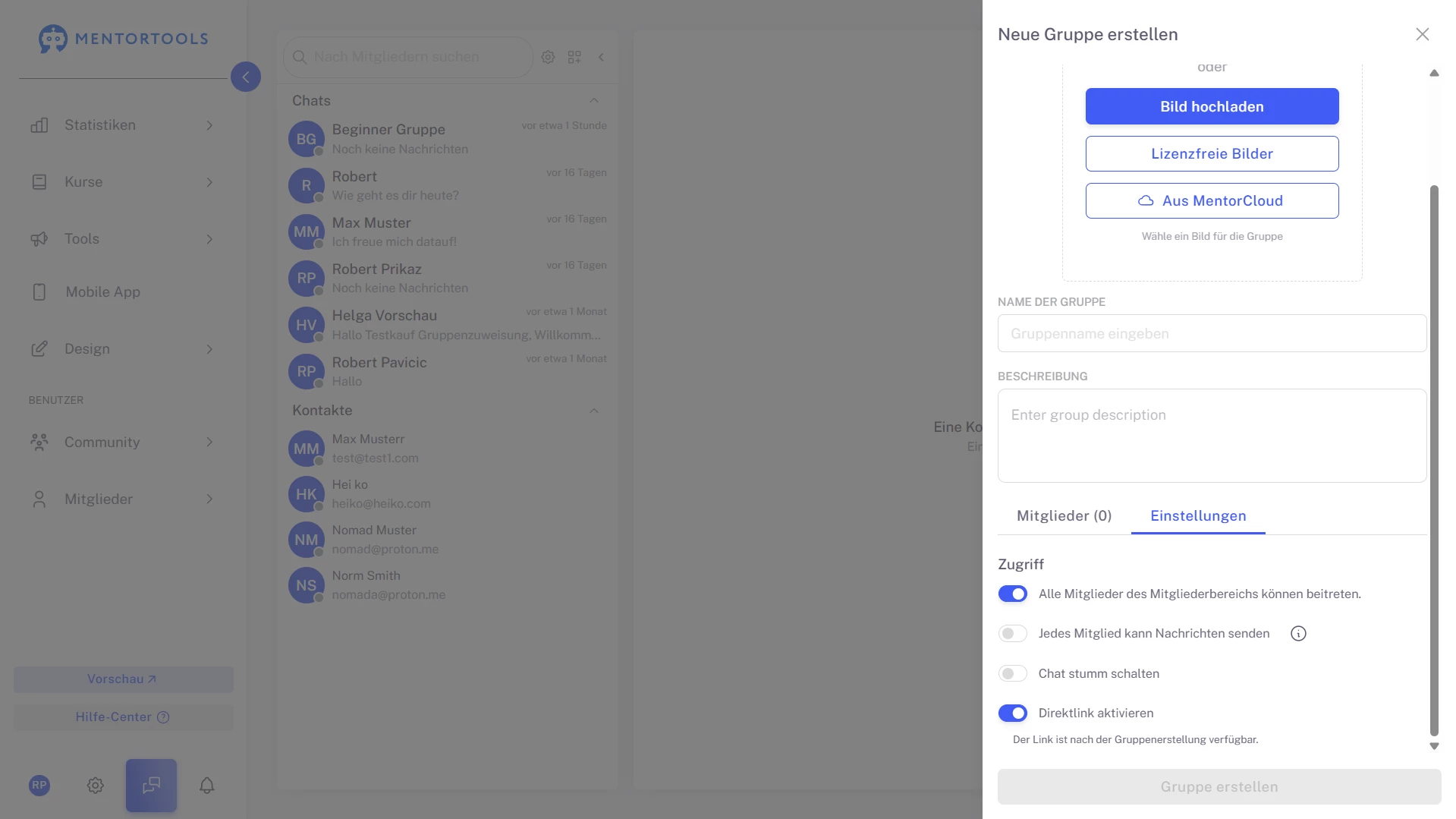
pair incentives with clear communication. use read-only groups for level rules, prize reveals, and updates that shouldn’t get lost in replies.
discussion can happen elsewhere, but official info stays visible and consistent—members always know how points work, what counts, and which rewards are live.
#8 simple admin: setup in tools, check in statistics
configure everything under tools → leaderboard—levels, thresholds, referral points, and course rewards—then review performance under statistics.
the split keeps setup quick and ongoing checks effortless. you can adjust thresholds or add prizes as programs evolve, without rebuilding your incentive system.
Only with Mentortools: Unlimited Growth
With Mentortools, you can provide unlimited communities, members, videos, images, and events.


A Mentortools members area includes an unlimited number of communities. You can create as many communities, topics, posts, and comments as you want.

Invite as many members as you like. You can make your community public or create a smaller private community. Mentortools sets no limits on growth.

You and your members can easily upload videos, images, audio, and files. You don’t need any additional video hosting or cloud storage. Everything is included with Mentortools.
Upcoming Features
We’re constantly adding new features to improve Mentortools. Coming soon:

Live Streaming
Use our upcoming live streaming feature to host workshops right in your community. With it, you can turn leads into customers or offer live coaching sessions directly in your community.

More Gamification
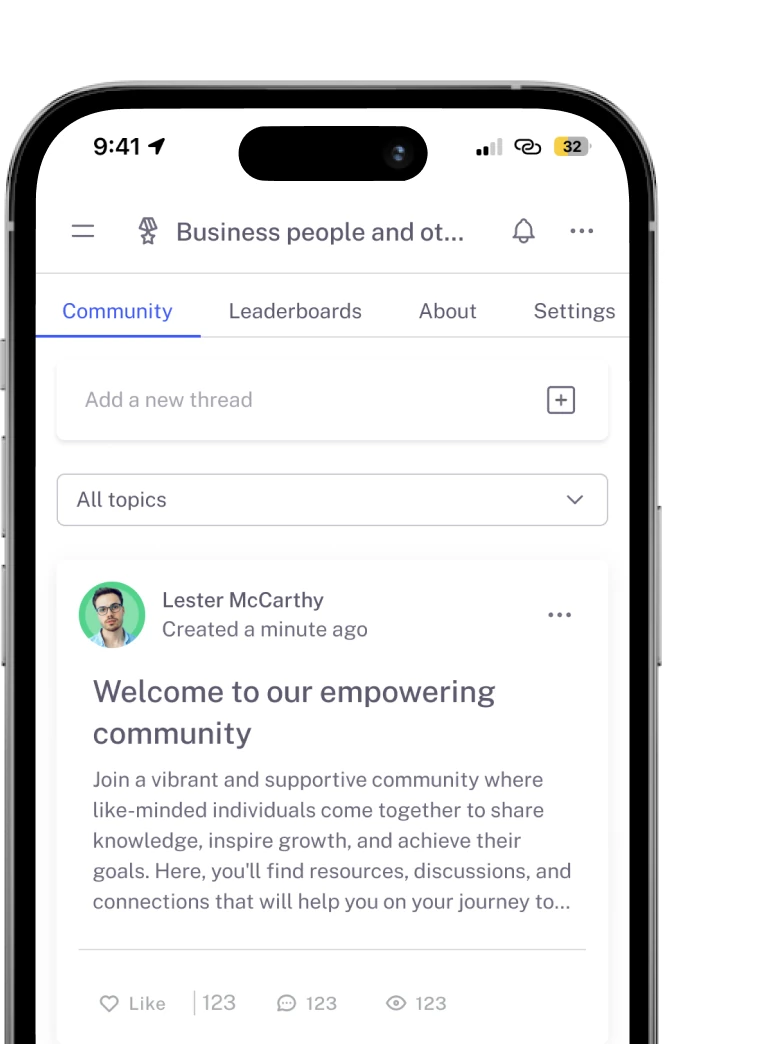
We will introduce more gamification features that allow you to connect courses with community points, award points for membership and course purchases, and much more.

Sidebar Banners
Soon, you’ll be able to display custom banners in the sidebar to invite your community members to workshops or directly offer new products. This way, you can increase your sales.