


Turn Every Milestone Into A Conversation
Use point-and-click automations to send personalized DMs, group updates, and onboarding prompts. Create public or private groups, share direct join links, and keep communication centralized.

One Place for DMs, Groups, and Announcements
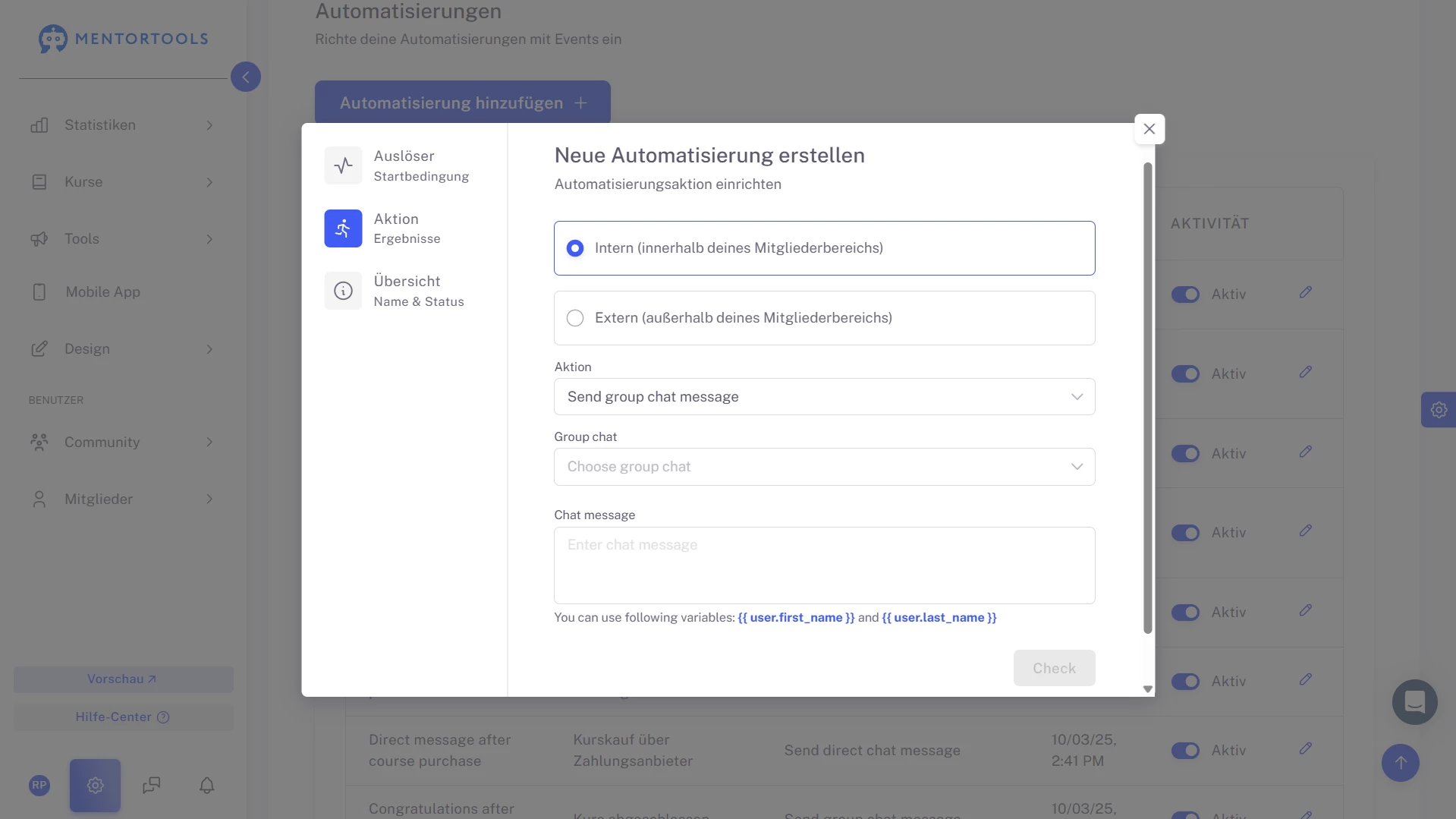
Fire a DM on purchase, drop a note in the group on completion, and add members to the right space automatically. Every message is timely, relevant, and on brand.
#1 Lifecycle Messaging On Autopilot
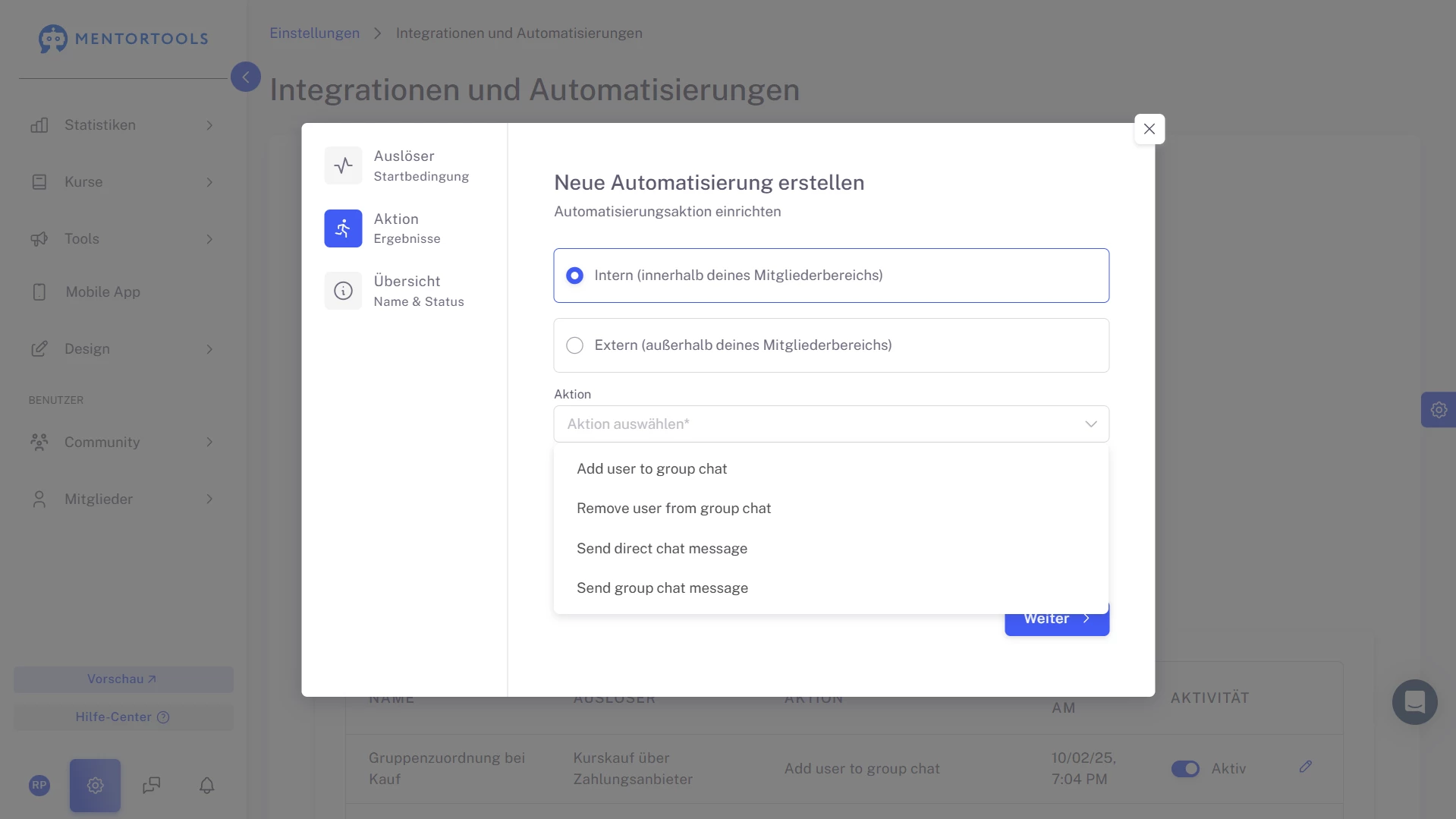
Turn learner actions into instant conversations. Set rules so a course purchase triggers a welcome DM, a finished lesson sends encouragement, or a completed course posts to the group. With actions like Send direct chat message, Send group chat message, and Add user to group chat, Mentortools keeps communication timely without manual follow-ups.
Create your finished course
in less than 5 minutes.
#2 Frictionless Onboarding That Feels Personal
The moment someone buys, they receive a branded, personalized message with the exact next step. Follow-ups can celebrate wins or point to resources.
Every new member feels seen, guided, and ready—no separate email tools or copy-paste required.
#3 Auto-Join the Right Group After Purchase
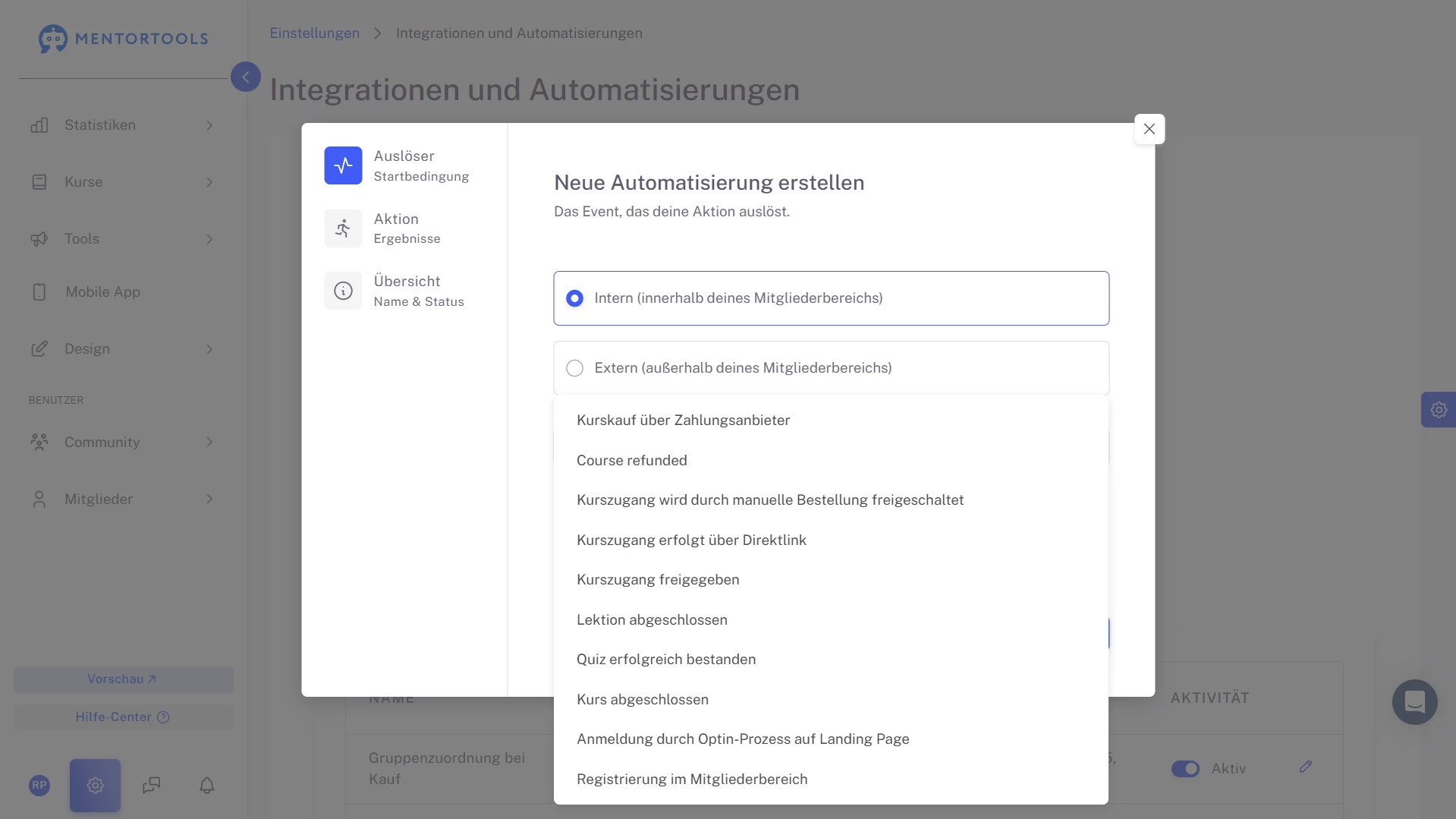
Stop answering “Where do I go now?” New buyers are added automatically to the correct chat group based on the course they purchased.
Support, peers, and files are already waiting—so engagement starts immediately and your team spends less time routing people to the right place.
#4 A Dedicated, Direct Support Line
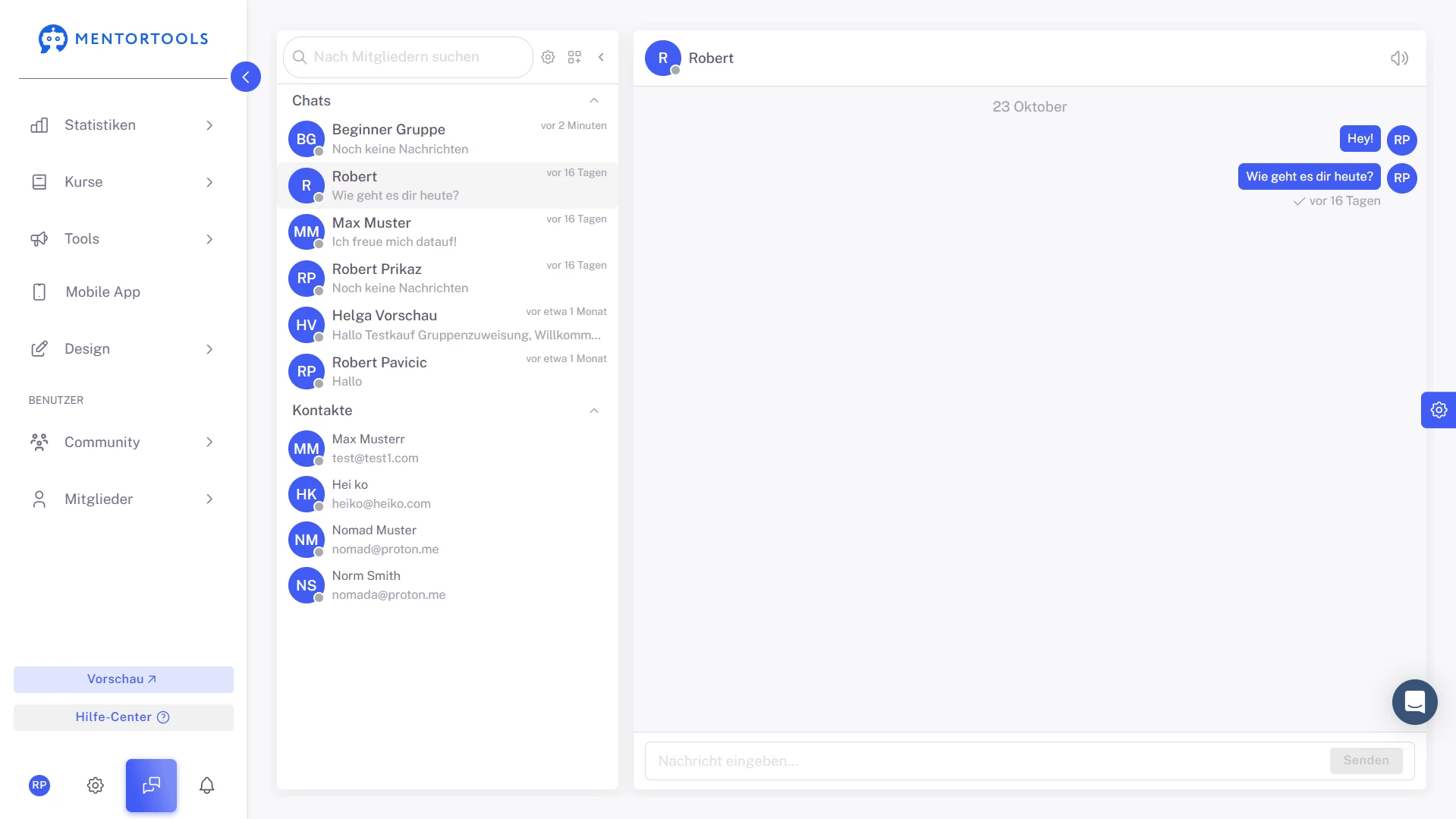
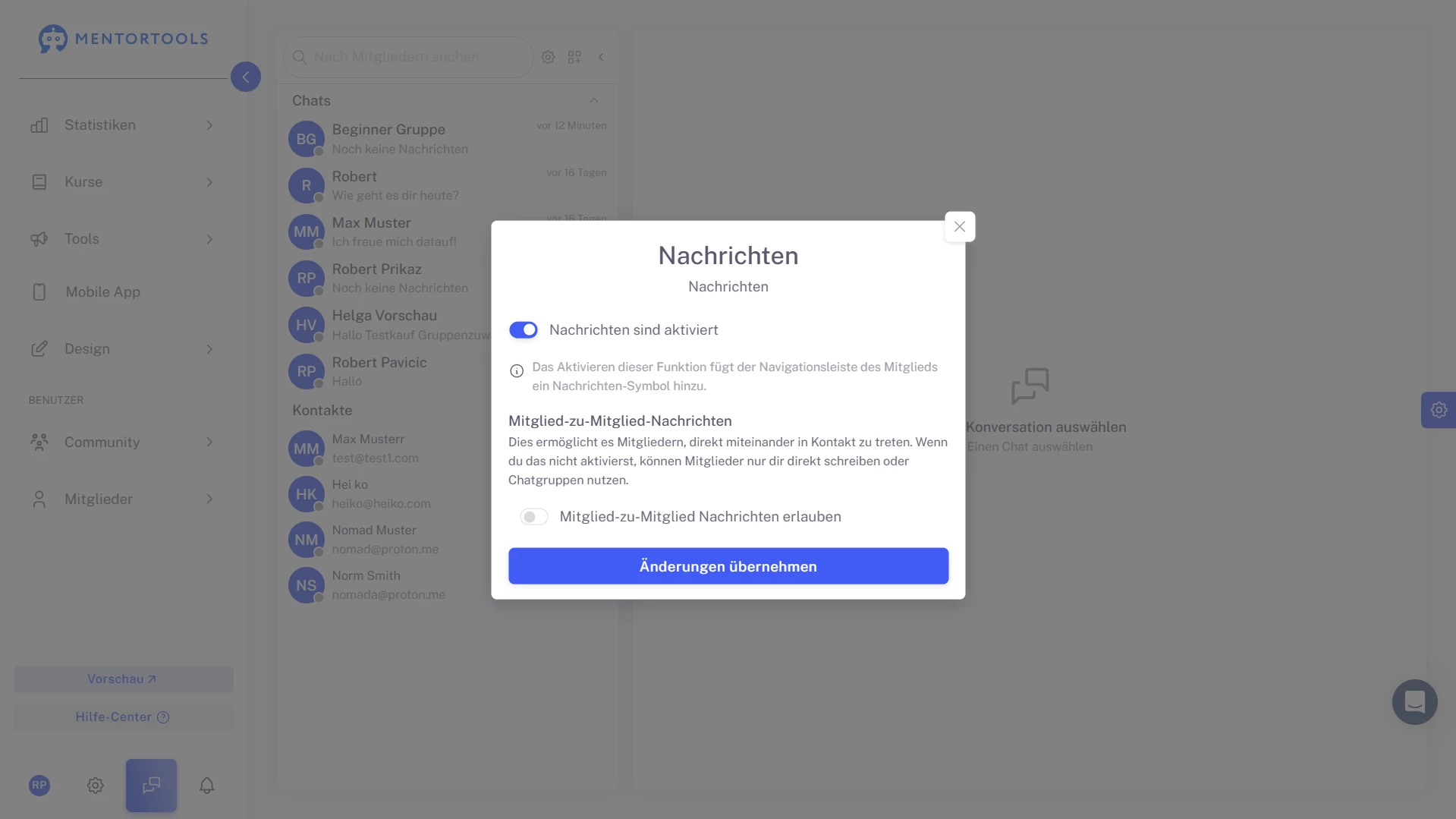
Keep 1:1 conversations focused and searchable. Your inbox shows chats, contacts, and quick member search; the thread pane keeps the discussion flowing.
Share the chat link when needed and keep every decision in one channel—no lost messages, no context switching.
#5 Read-Only Channels for Clear Announcements
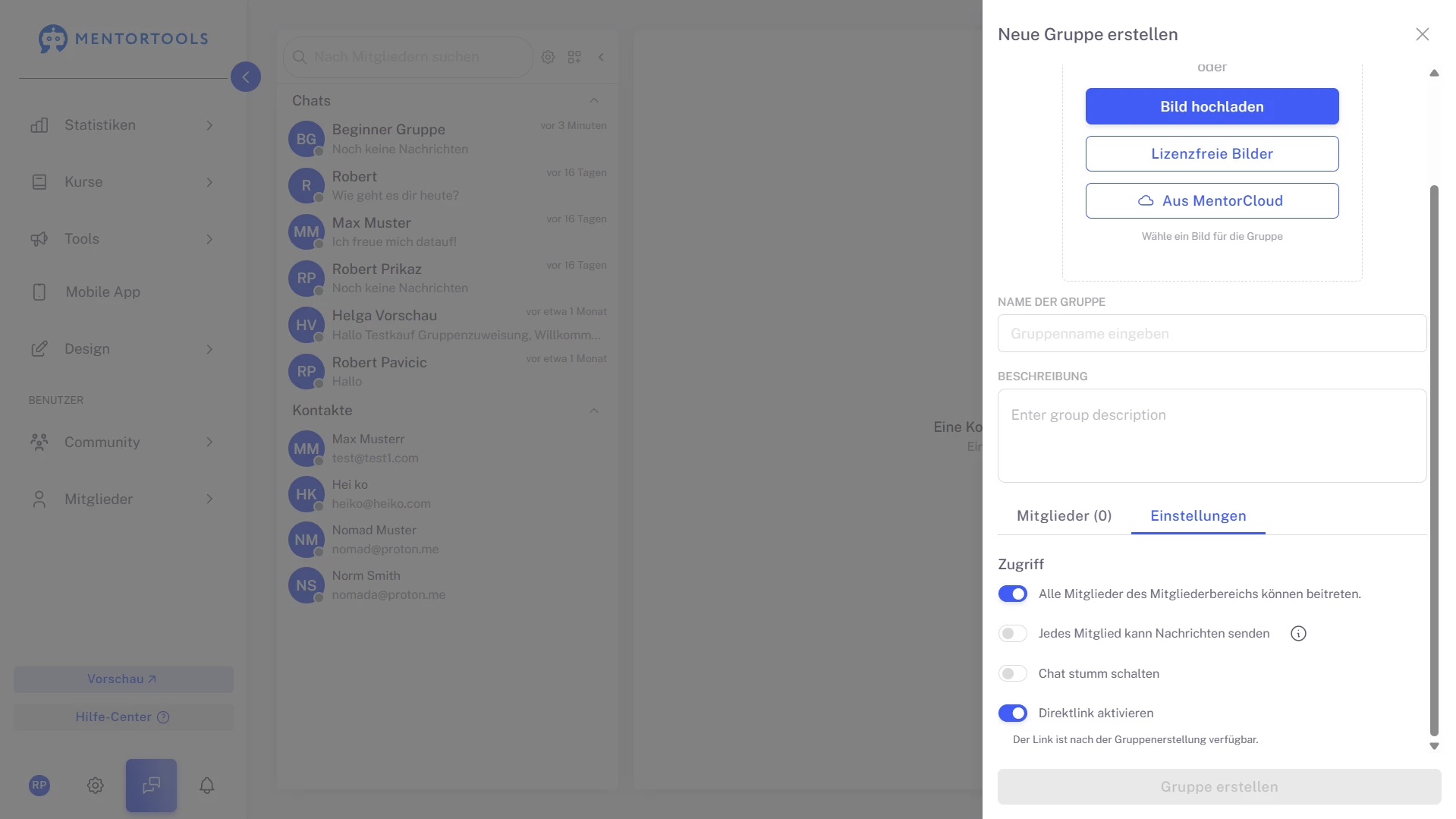
When you need signal without noise, create a read-only group. Share updates, deadlines, and FAQs that shouldn’t be drowned out by replies, while discussion moves to separate groups.
Program logistics stay crisp and your learners always know where to look.
#6 Build the Right Group, Fast
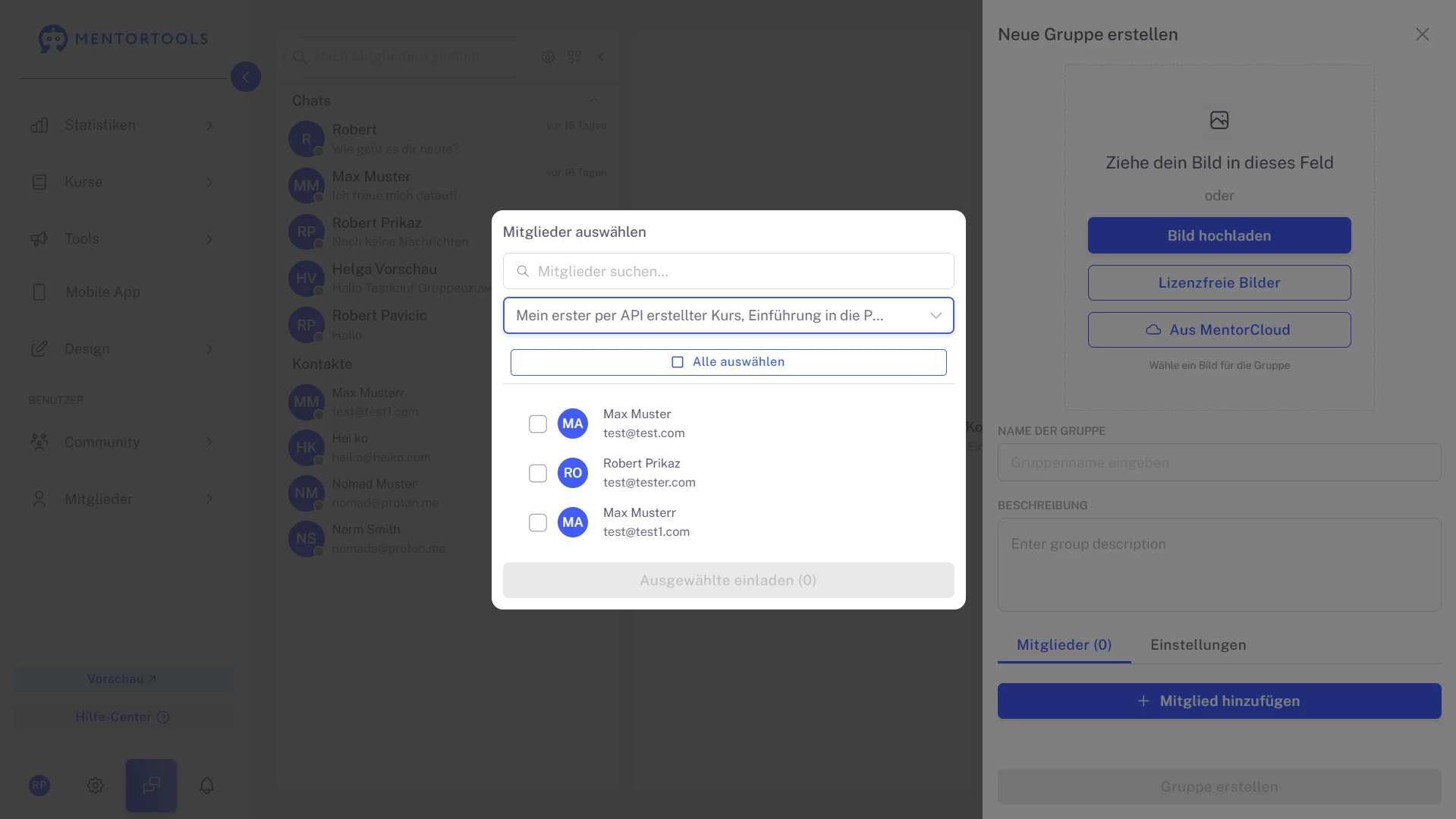
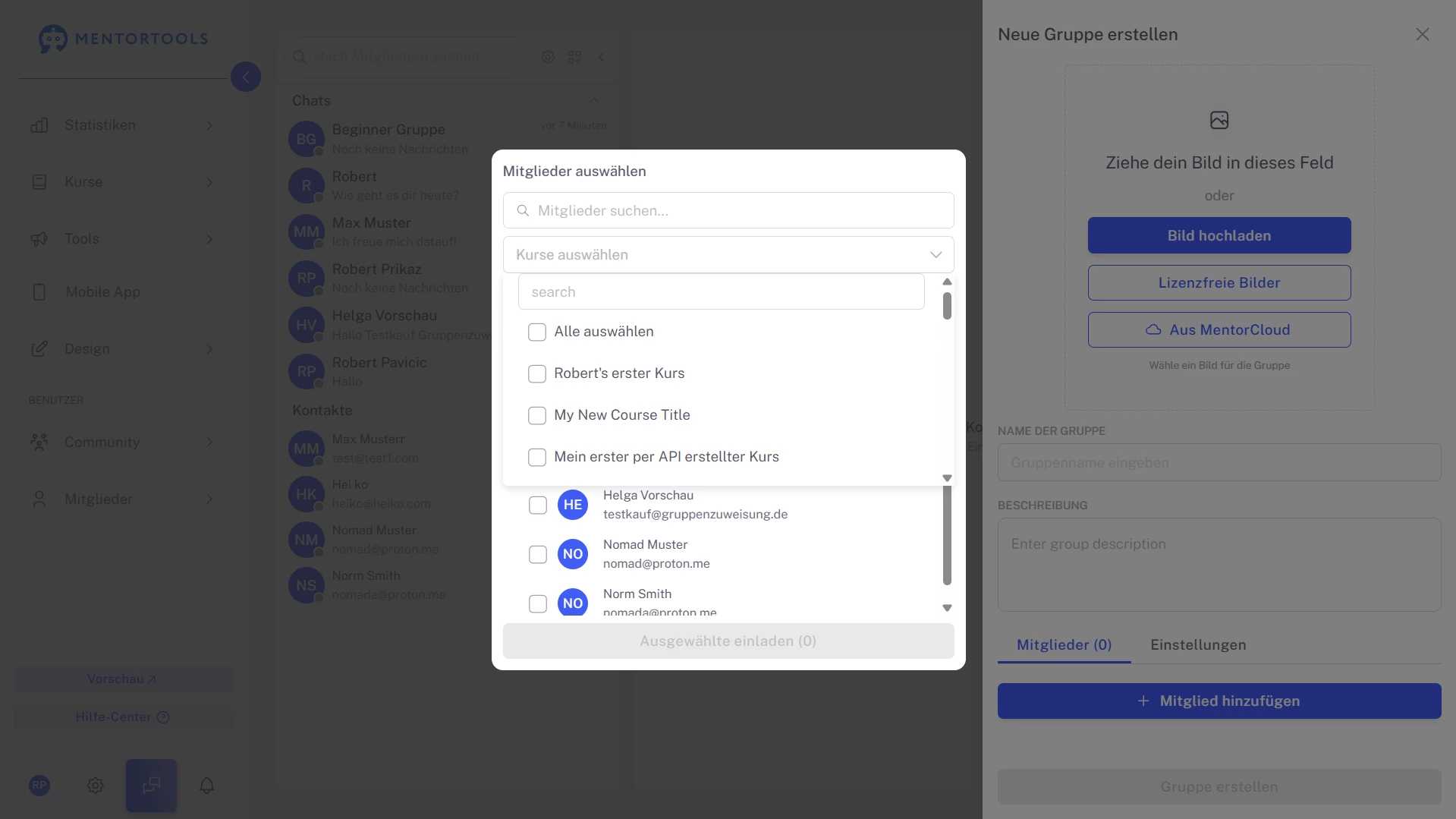
Create branded spaces with a name, description, and image (upload, stock, or MentorCloud). Add members in bulk using search and filter by course—perfect for topic cohorts or program phases.
“Select all” invites everyone shown in one move, so setup is measured in minutes, not hours.
#7 Access You Control: Public, Private, or Link-Only
Decide how people join: let any member discover the group, keep it invite-only, or share a direct join link externally.
It’s ideal for pop-up cohorts, alumni circles, or private coaching tracks—flexible without sacrificing control.
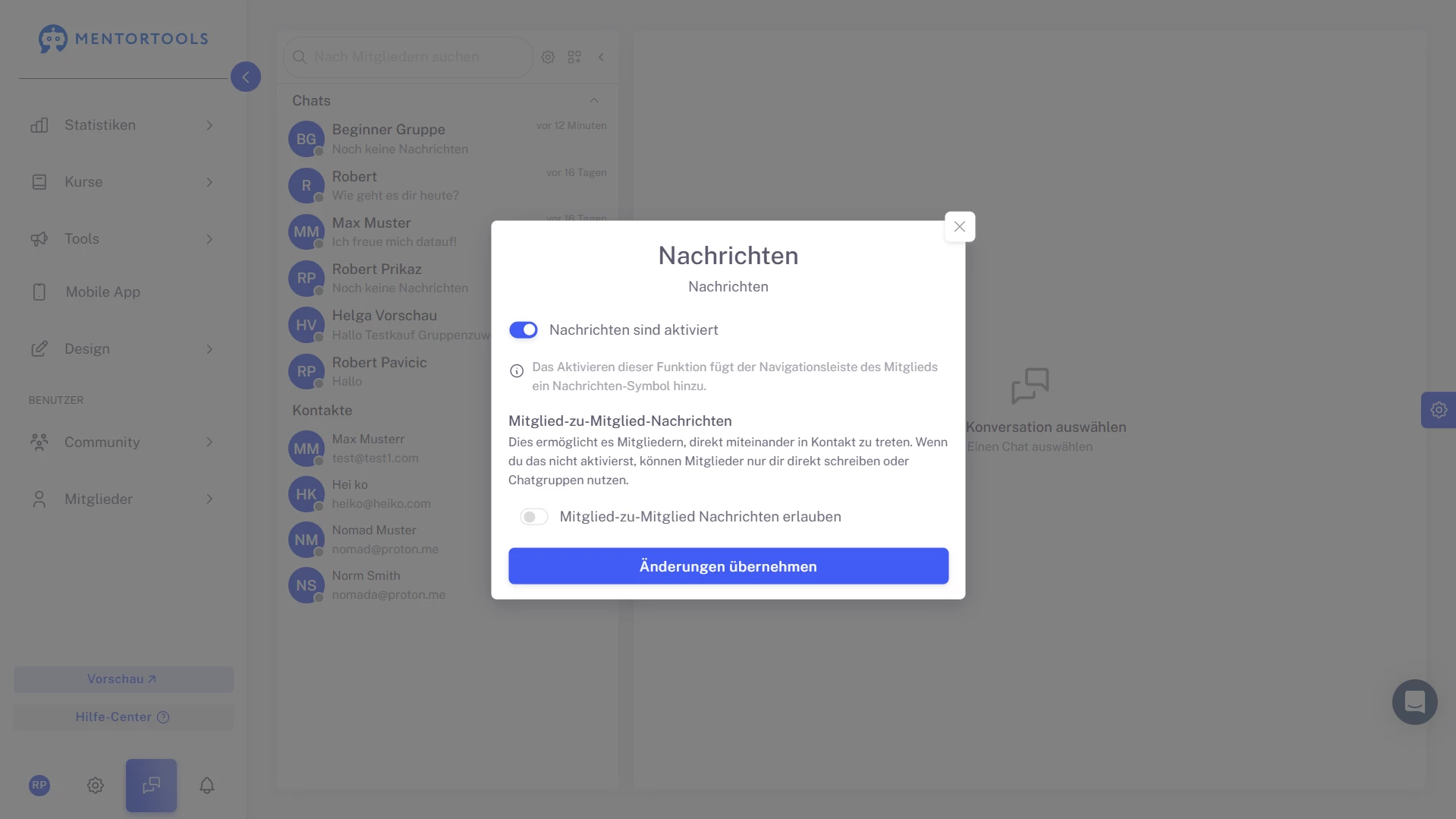
#8 Messaging Policies That Fit Your Culture
Only with Mentortools: Unlimited Growth
With Mentortools, you can provide unlimited communities, members, videos, images, and events.


A Mentortools members area includes an unlimited number of communities. You can create as many communities, topics, posts, and comments as you want.

Invite as many members as you like. You can make your community public or create a smaller private community. Mentortools sets no limits on growth.

You and your members can easily upload videos, images, audio, and files. You don’t need any additional video hosting or cloud storage. Everything is included with Mentortools.
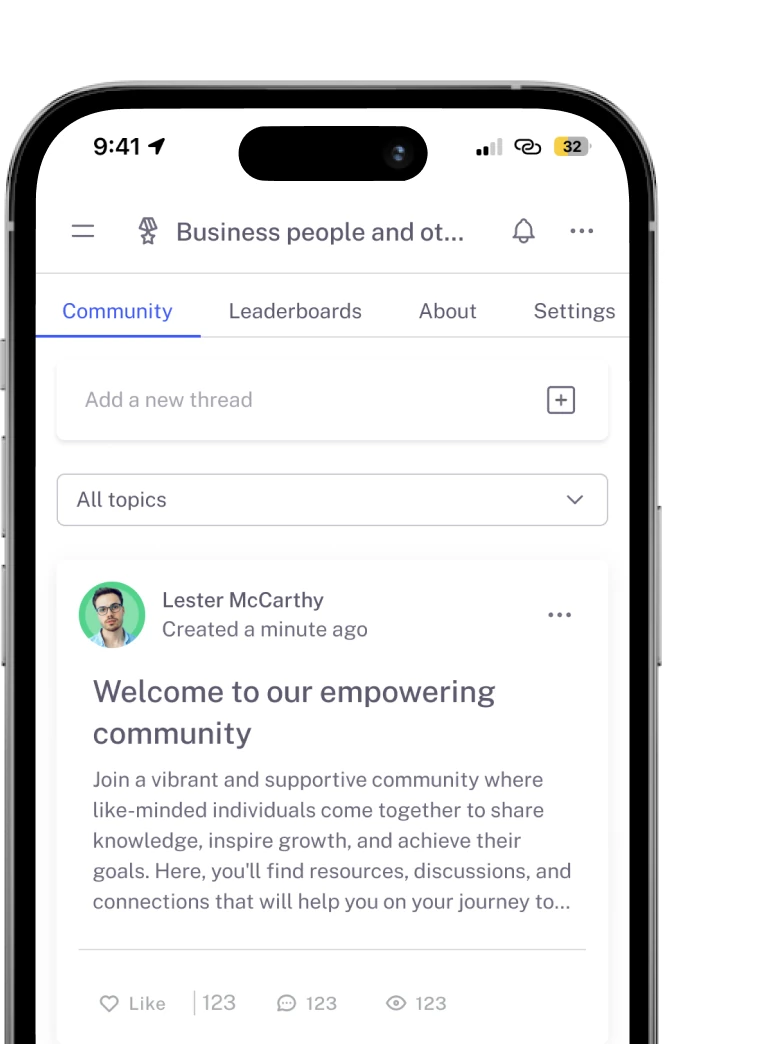
Upcoming Features
We’re constantly adding new features to improve Mentortools. Coming soon:

Live Streaming
Use our upcoming live streaming feature to host workshops right in your community. With it, you can turn leads into customers or offer live coaching sessions directly in your community.

More Gamification
We will introduce more gamification features that allow you to connect courses with community points, award points for membership and course purchases, and much more.

Sidebar Banners
Soon, you’ll be able to display custom banners in the sidebar to invite your community members to workshops or directly offer new products. This way, you can increase your sales.