


All Your Live Events in One Calendar Webinars, Workshops & Coaching
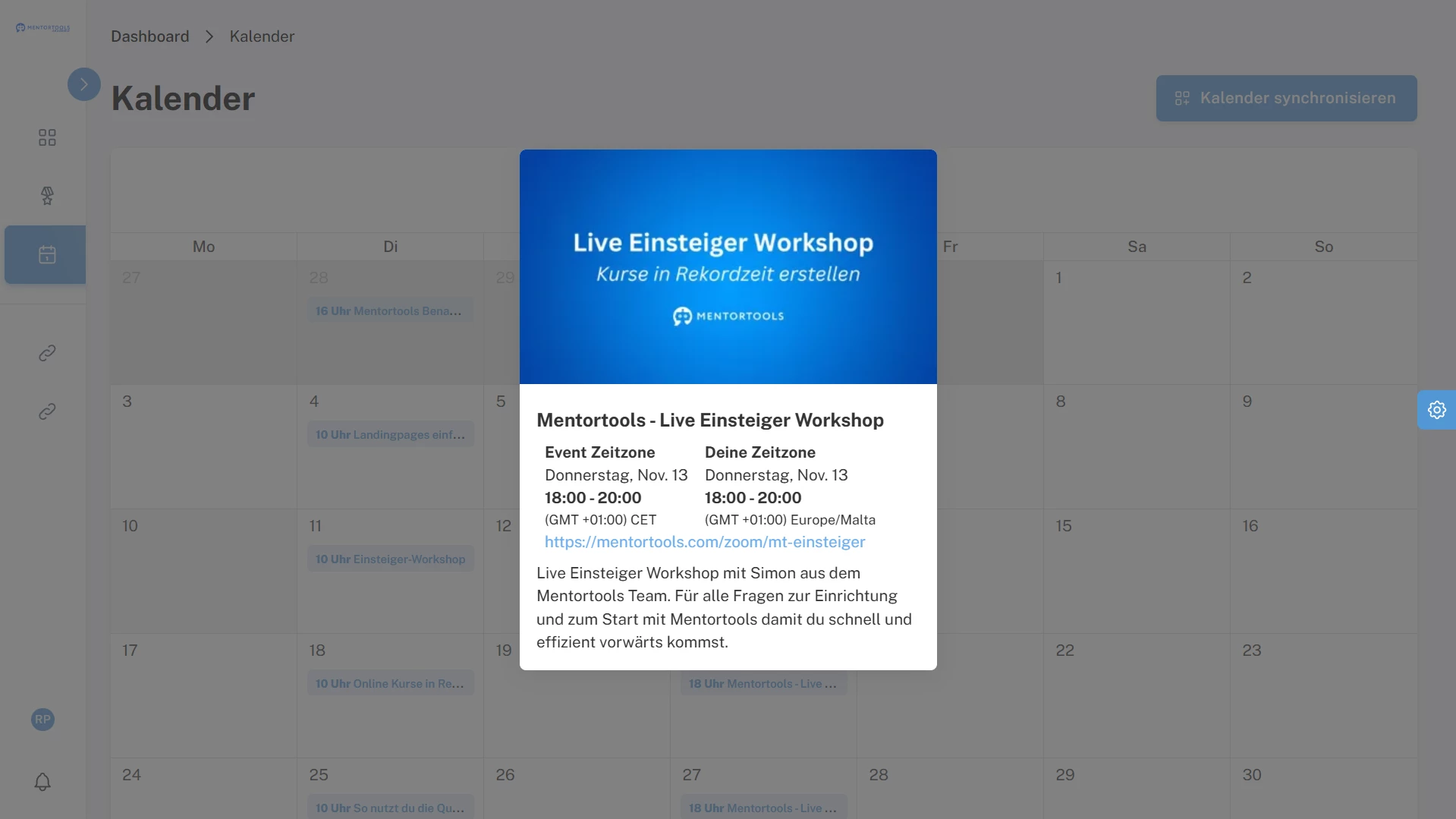
Schedule events in a chronological list with title, date & time, description, join link, status, and recurrence. Choose public or course-linked access and show the calendar to members so upcoming, live, and completed sessions are always clear.

Plan, Publish, and Run Live Sessions Without Extra Tools
Plan webinars, workshops, and coaching in a clear, chronological list with titles, times, links, and status. Show it to members with one toggle and use recurrence or course-linked access to keep everyone on schedule.
#1 All Events in One Place
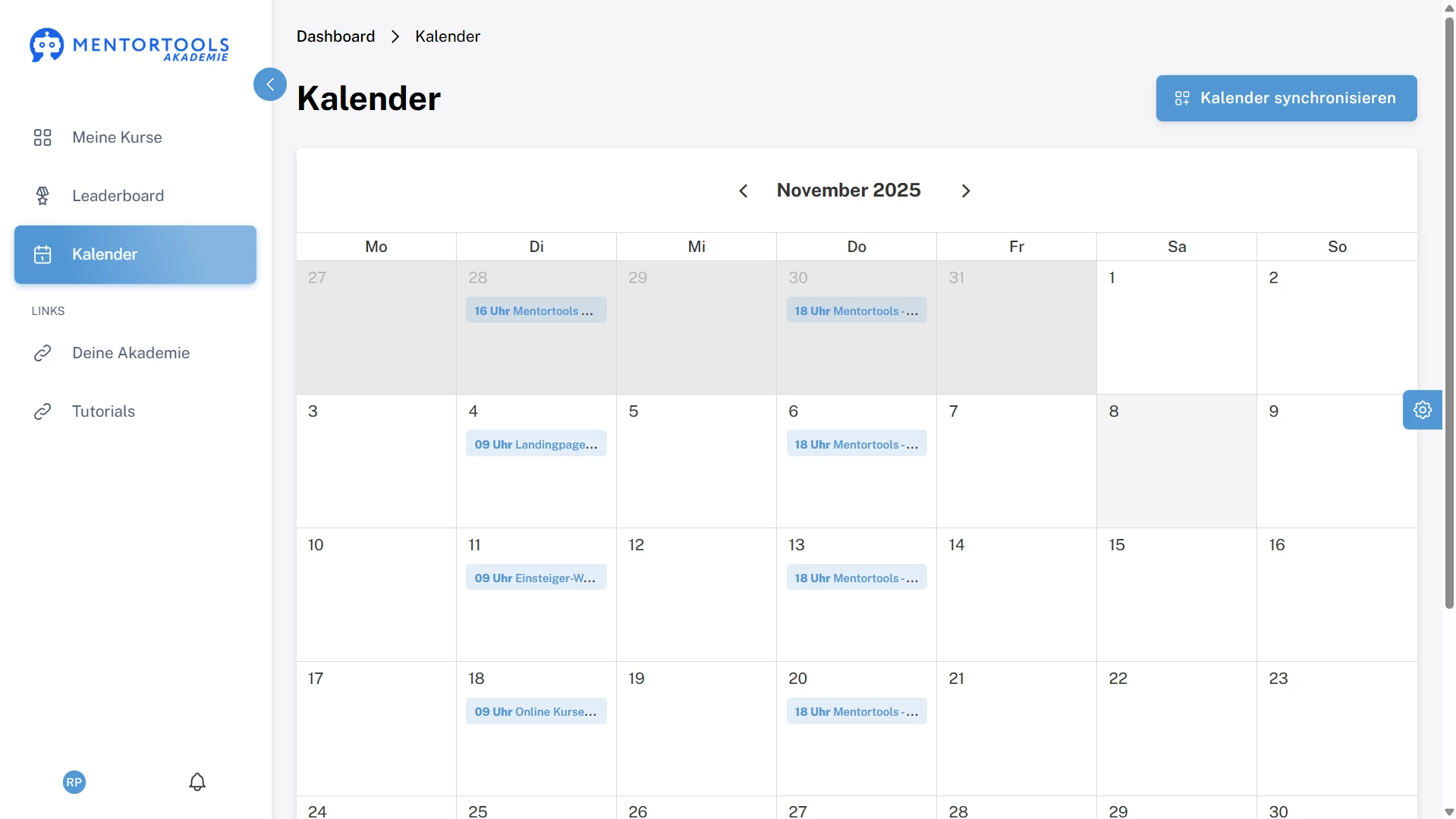
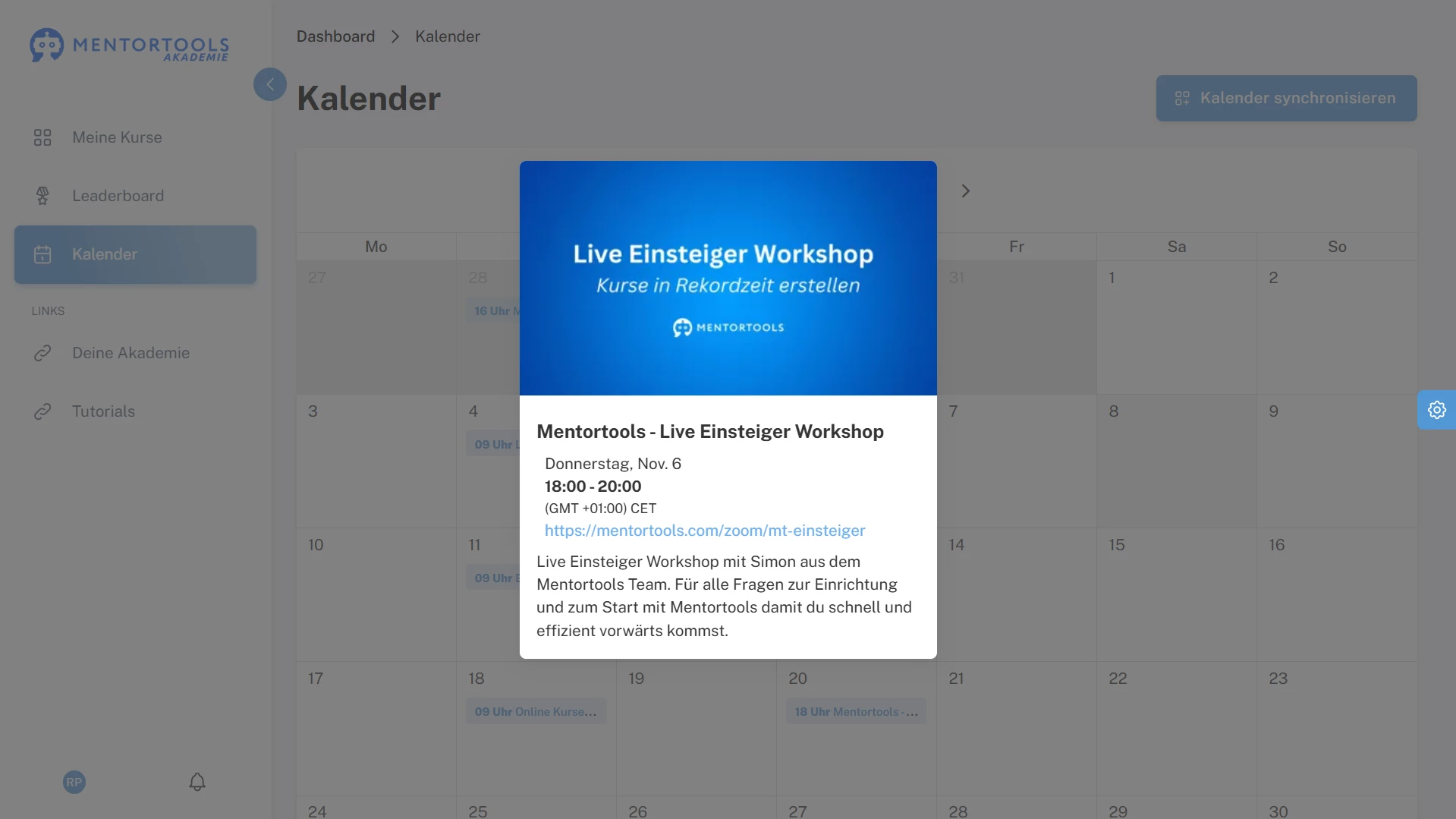
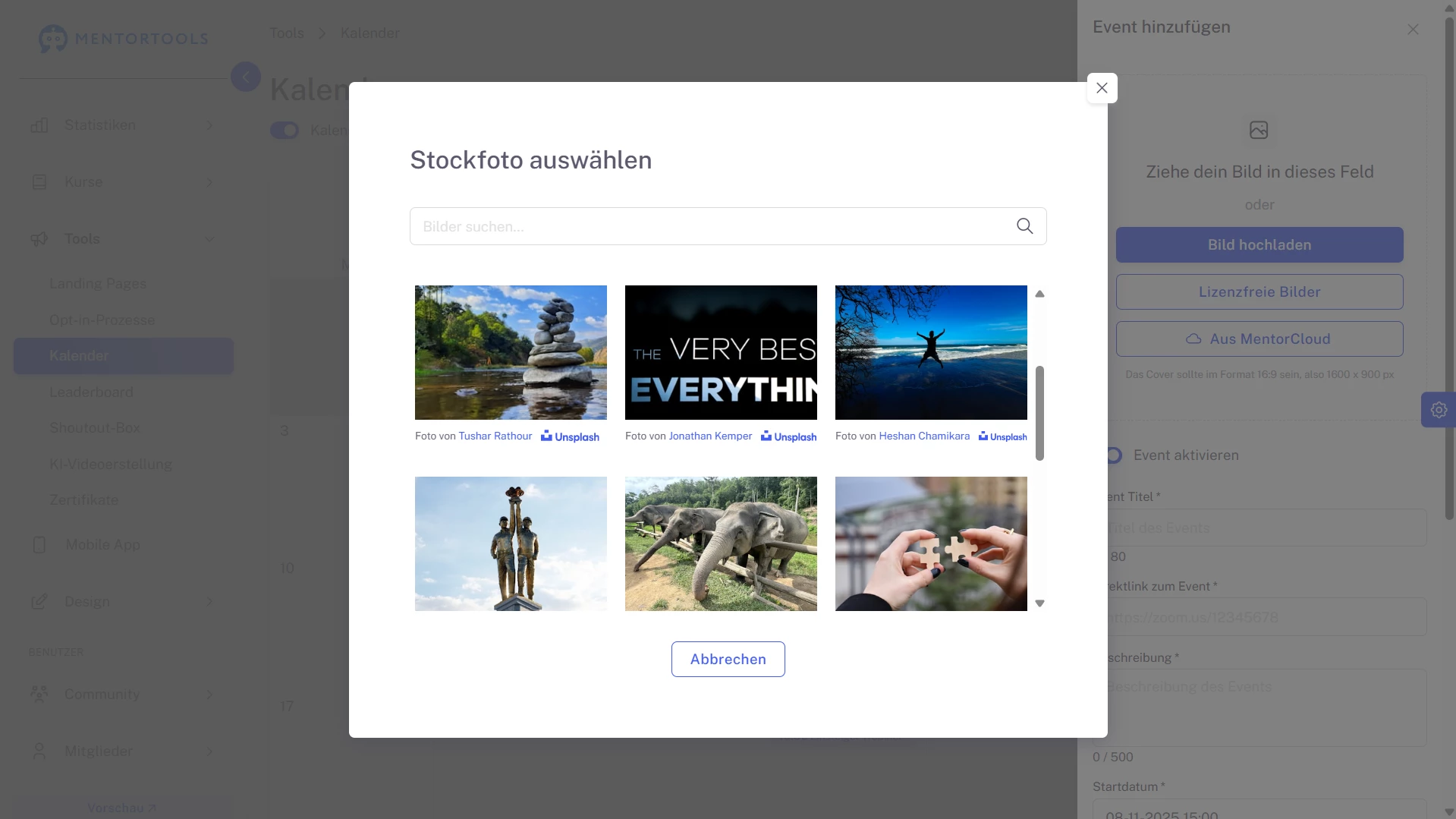
Show every live touchpoint—webinars, workshops, coaching, Q&A—in one chronological list inside Mentortools. Each entry displays date & time, title, description, join link (Zoom/Meet, etc.), and status (upcoming, live, completed). Members find the next session fast, you communicate dates once, and nobody asks “where’s the link?” minutes before go-time.
Create your finished course
in less than 5 minutes.
#2 One Switch to Publish the Calendar to Members
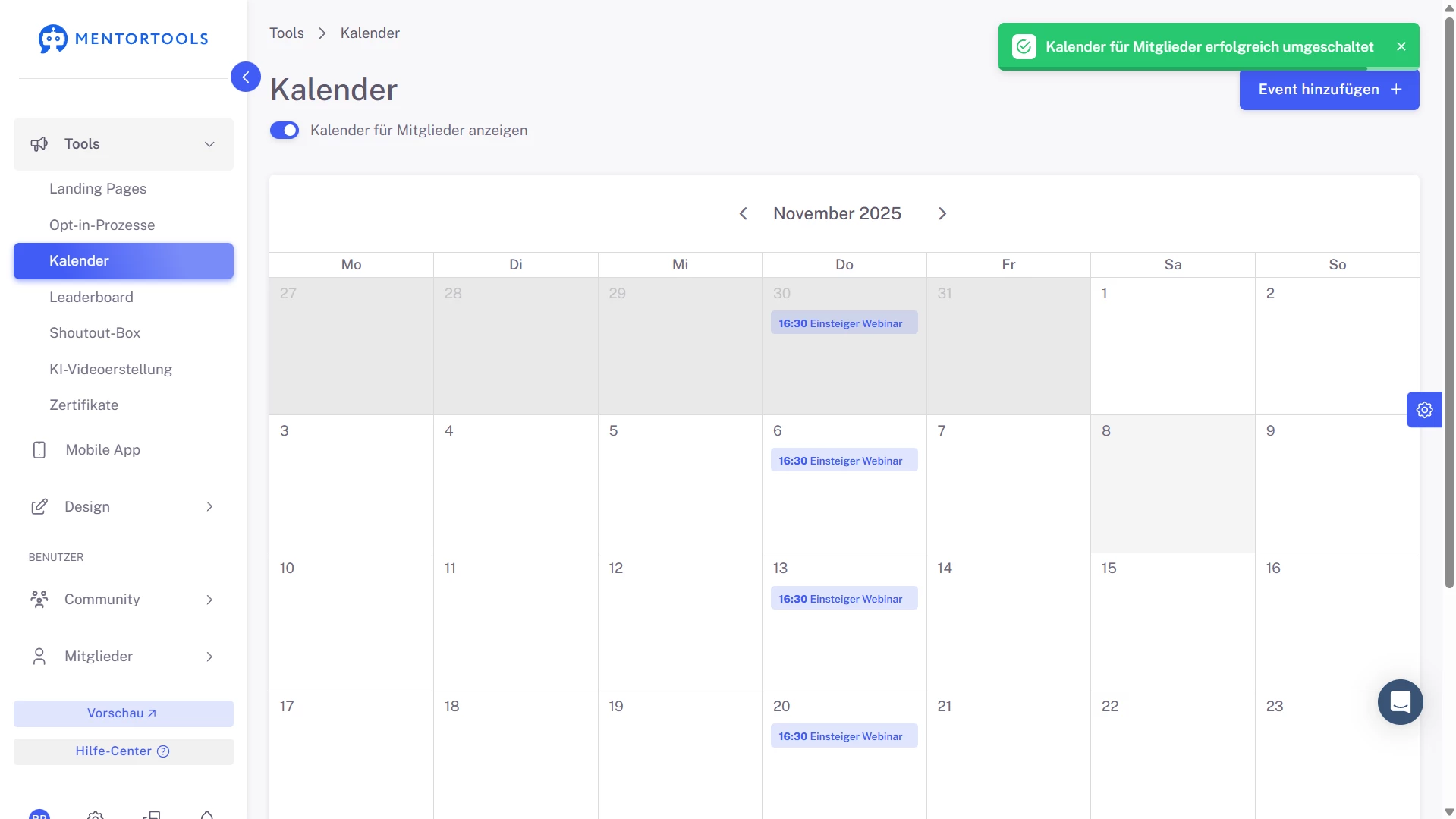
Control visibility with a single toggle: Show calendar to members. When enabled, a Calendar menu item appears in the member area and lists all events they’re eligible to see.
You keep the admin view private, publish the member view when ready, and prevent confusion while you’re still planning the schedule.
#3 Recurring Events Without Re-Entry
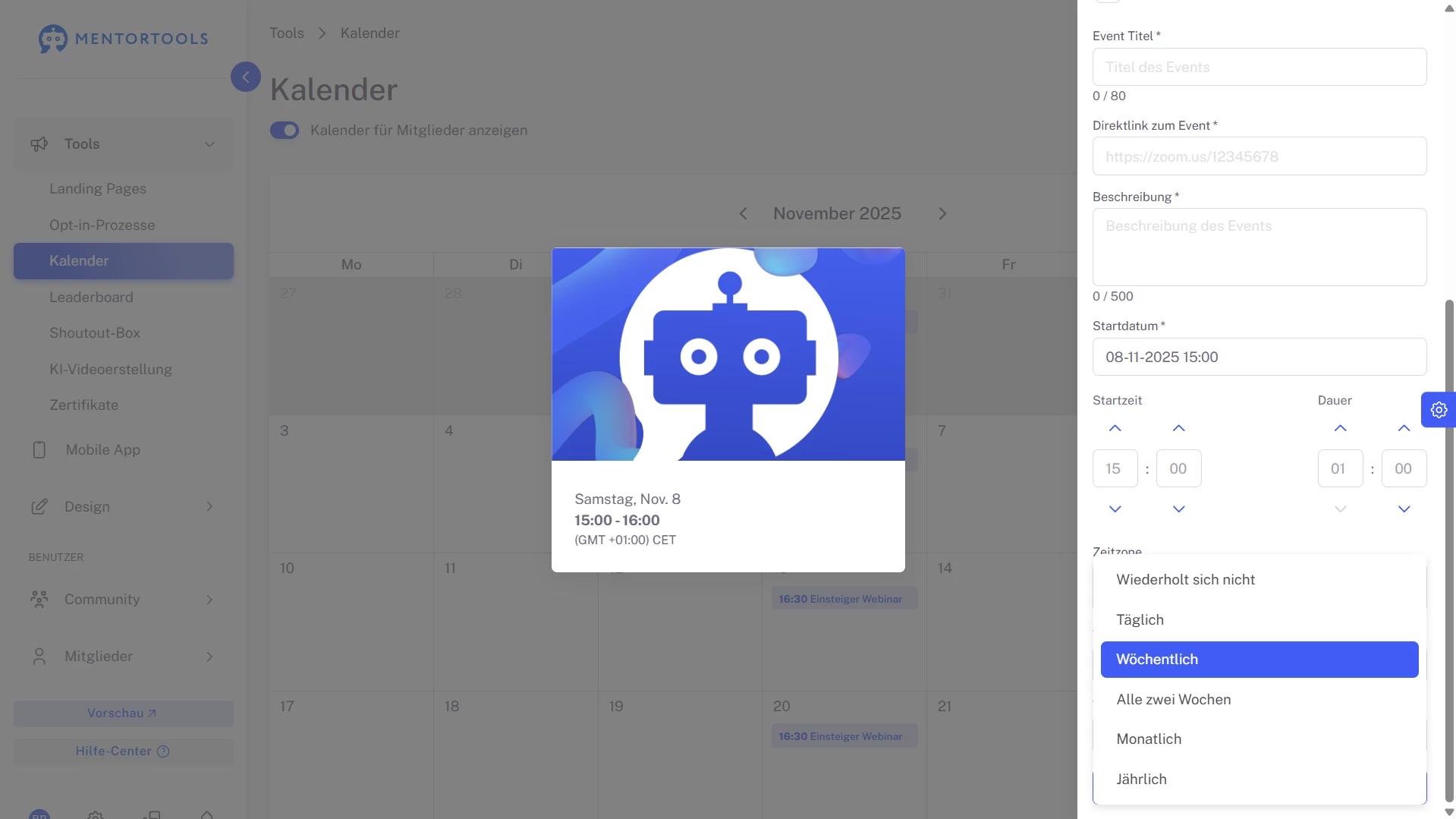
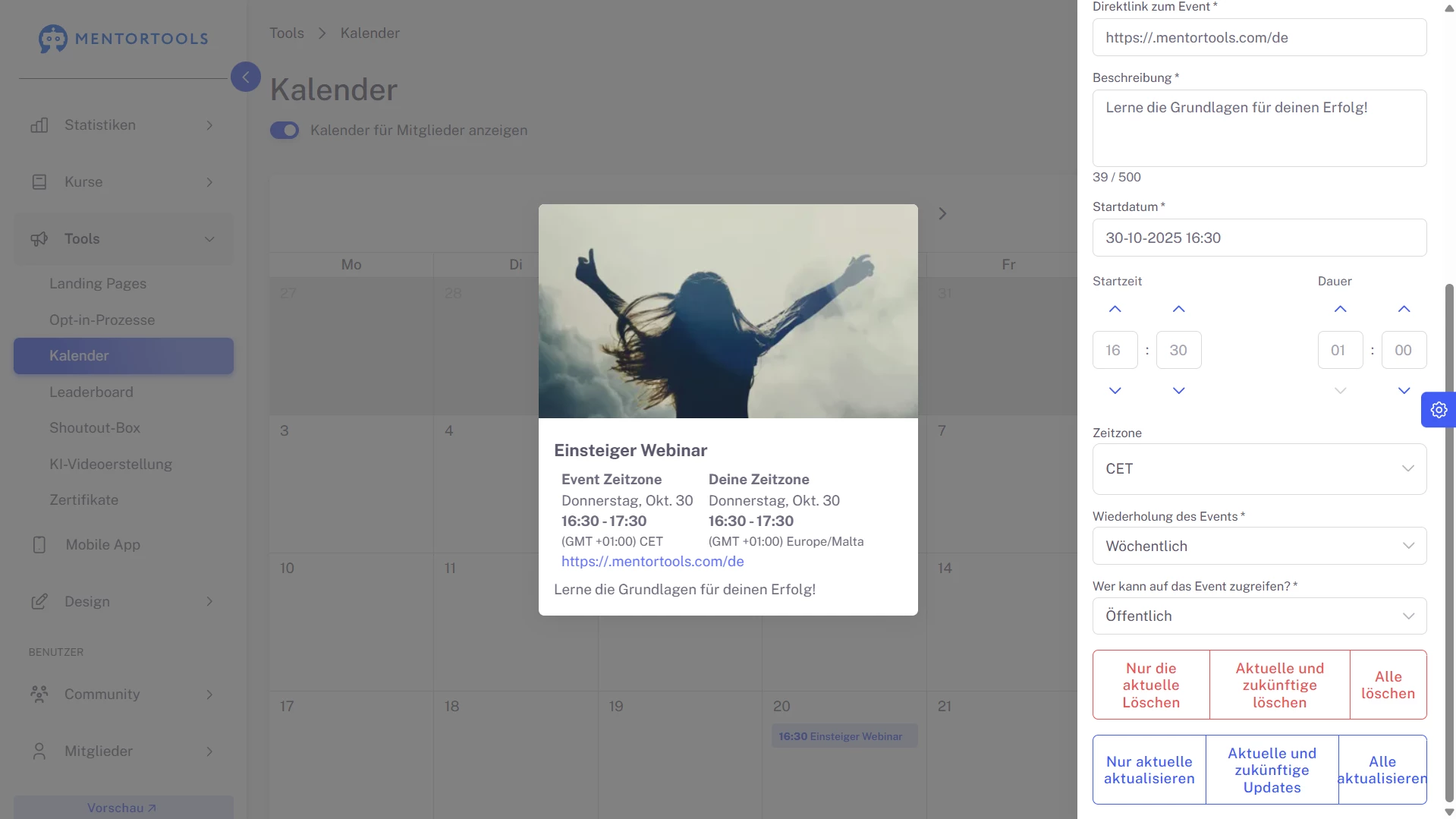
Plan a whole series in seconds. Mark an event as recurring (e.g., weekly) and Mentortools generates the schedule automatically.
Reuse the same room link, keep titles consistent (“Live Q&A — Week 2”), and let the platform track each occurrence’s status. You stay organized while participants always see the next date in the list.
#4 Course-Linked or Public
Attach an event to specific courses/products or mark it public. Course-linked sessions appear to members who have started the relevant course; public events are visible to all.
This keeps access clear: learners see only what applies to them, while launch events, open Q&As, or webinars can be promoted platform-wide.
#5 Everything Important in One Event Card
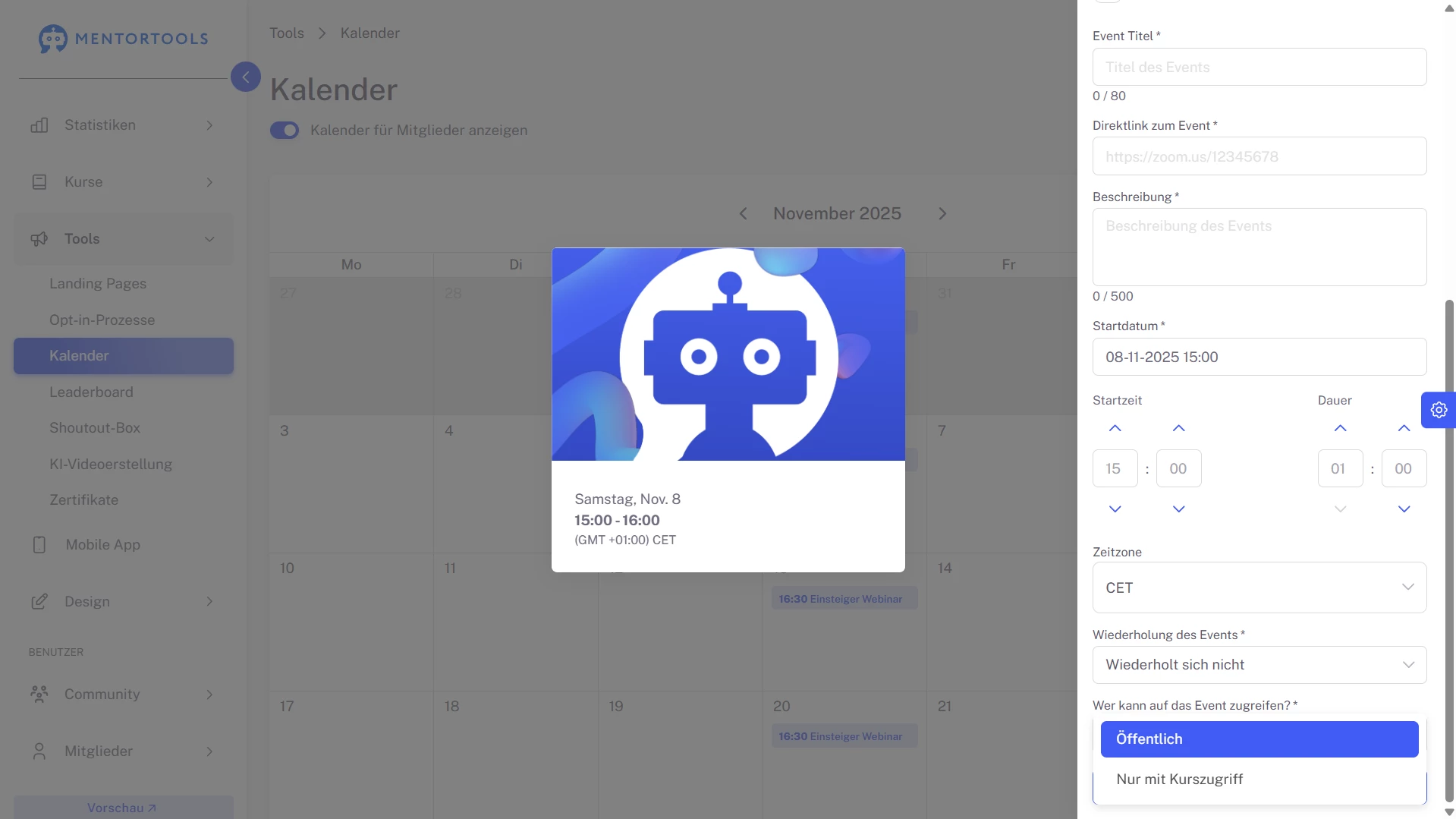
Open any entry to manage the details that matter: title, event URL, date & time, one-time vs. recurring, linked courses, and public/private.
Add a short description for expectations and tech notes. Save to update instantly or delete if plans change. Admin control is precise, members see a clean, consistent summary.
#6 Upcoming, Active, Completed
Each event carries a clear state so everyone knows what’s happening now. Members spot what’s upcoming, can join anything active with one click, and review completed sessions for context.
Status labels reduce last-minute questions and make your timeline easy to scan—even on a busy week.
#7 Preview the Member Experience Before You Publish
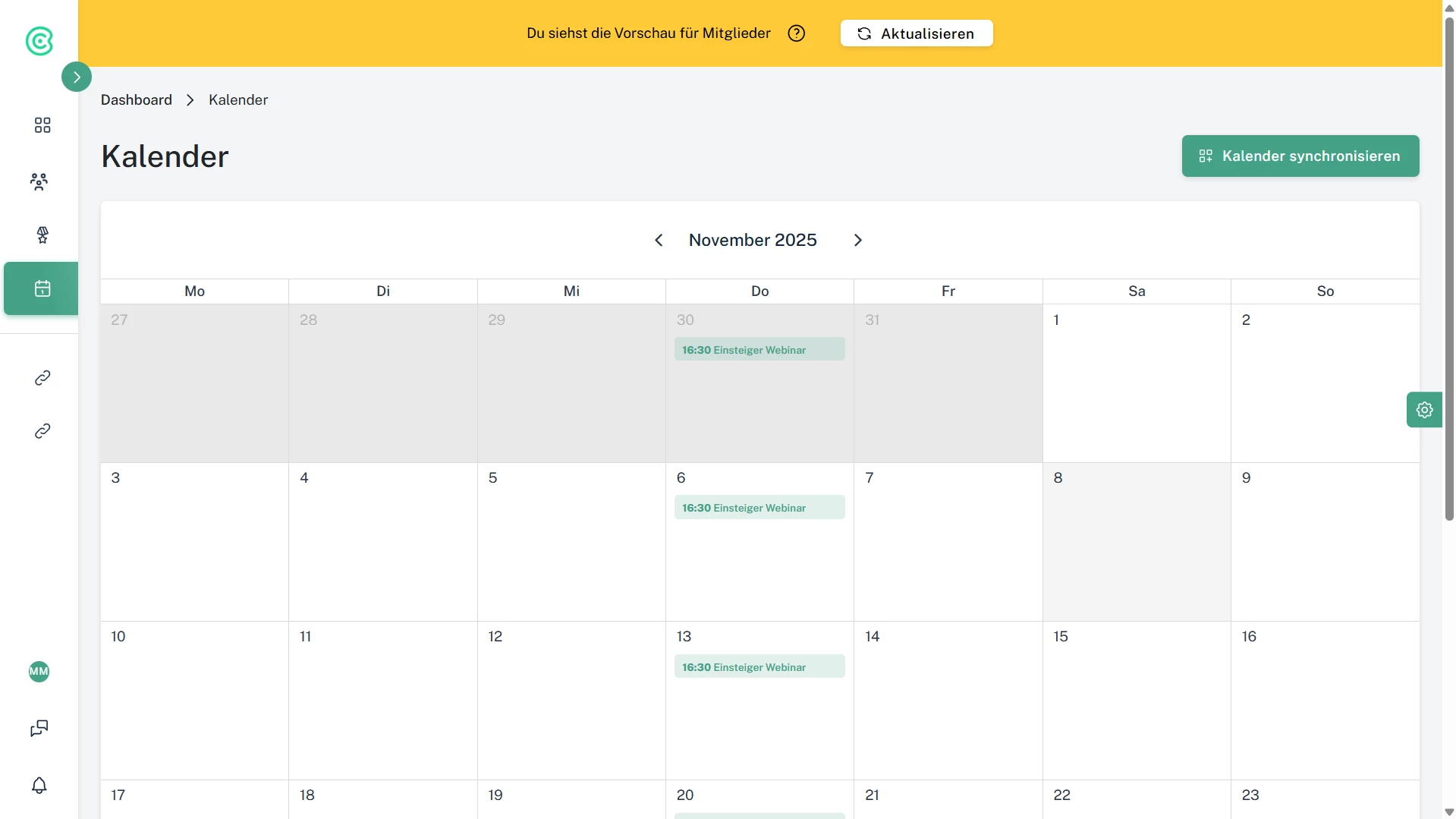
Use Preview to check how the calendar looks for learners. Verify dates, wording, and links; confirm course-linked events appear only after enrollment has started.
We know scheduling is a complex task. You catch issues early, avoid empty slots in the member view, and ship a calendar that feels polished from day one.
#8 Faster Planning for Multi-Week Programs
Map your whole program in advance. Add the core dates, enable recurrence for weekly calls, and keep titles consistent so the list reads like a syllabus.
Mentortools’ chronological view becomes your “single source of truth,” minimizing schedule emails and keeping teams and learners aligned.
Only with Mentortools: Unlimited Growth
With Mentortools, you can provide unlimited communities, members, videos, images, and events.


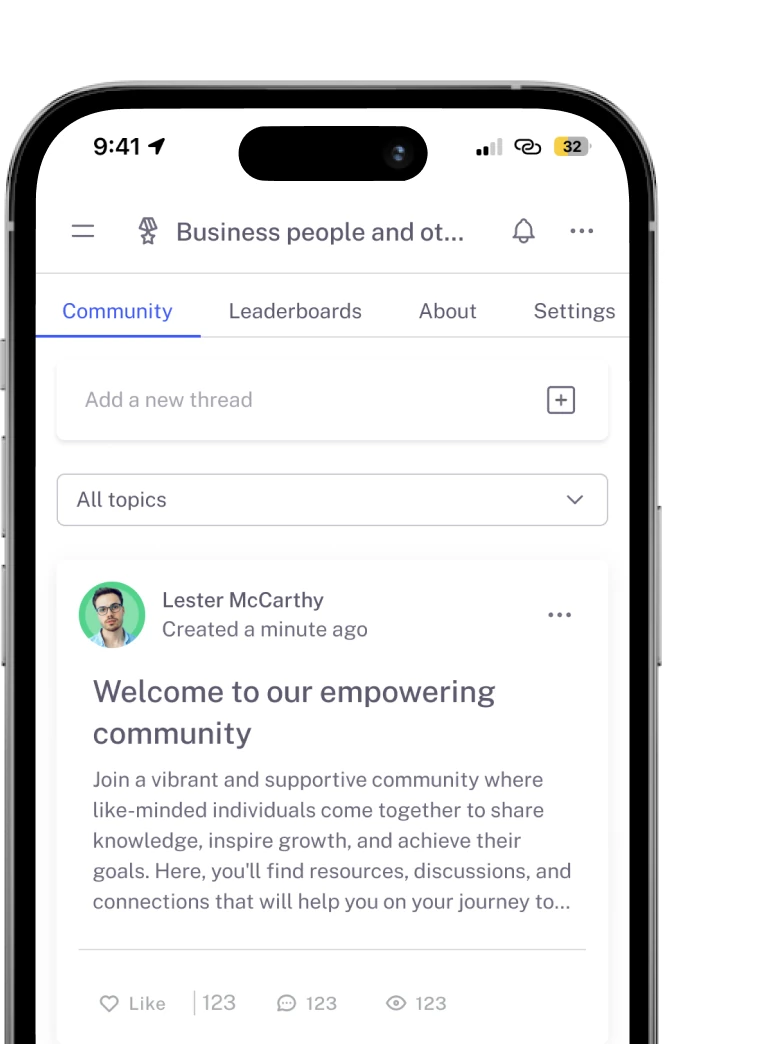
A Mentortools members area includes an unlimited number of communities. You can create as many communities, topics, posts, and comments as you want.

Invite as many members as you like. You can make your community public or create a smaller private community. Mentortools sets no limits on growth.

You and your members can easily upload videos, images, audio, and files. You don’t need any additional video hosting or cloud storage. Everything is included with Mentortools.
Upcoming Features
We’re constantly adding new features to improve Mentortools. Coming soon:

Live Streaming
Use our upcoming live streaming feature to host workshops right in your community. With it, you can turn leads into customers or offer live coaching sessions directly in your community.

More Gamification
We will introduce more gamification features that allow you to connect courses with community points, award points for membership and course purchases, and much more.

Sidebar Banners
Soon, you’ll be able to display custom banners in the sidebar to invite your community members to workshops or directly offer new products. This way, you can increase your sales.