


Create compete courses in minutes with simple tools and zero stress
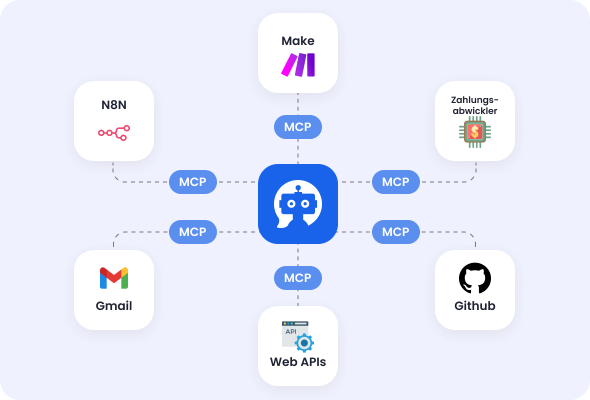
Create a complete, high-quality online course including content from a PDF at the push of a button. Generate videos with your own face and voice directly in Mentortools. Use the integrated MCP server and automations to give your “AI employees” access to all your knowledge.


Why creators love our course editor
No tech skills needed. Upload content, get an instant outline, customize with your brand, and hit publish. Edits are effortless and updates go live immediately.
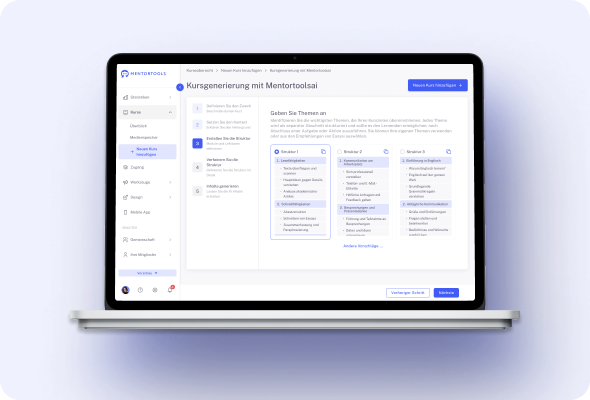
#1 Generatate courses with AI
Upload a PDF or paste your notes and get a complete, ready-to-edit outline in seconds. Modules, lessons, objectives, and suggested talking points appear instantly. Make quick tweaks, drop in your media, and move straight to publishing without starting from a blank page for hours.
It’s the fastest path from idea to professional course, even if you’re new. You’ll skip hours of planning and structuring, keep your momentum high, and hit “publish” sooner so revenue arrives earlier.
Create your finished course
in less than 5 minutes
#2 Drag-and-drop everything
Reorder modules, move lessons, and duplicate sections with a simple click, no code, no cluttered menus. Keep your structure crystal clear as your course grows, and reshuffle content in minutes when you spot a better flow.
Because changes are easy, you’ll keep improving your course long after launch. That means tighter lessons, fewer questions, and a smoother learning path that gets more students to the finish line.
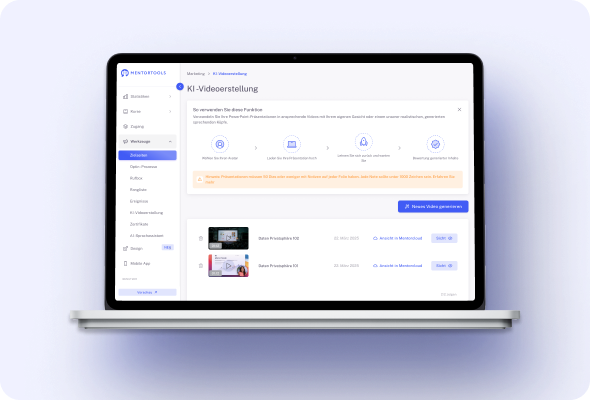
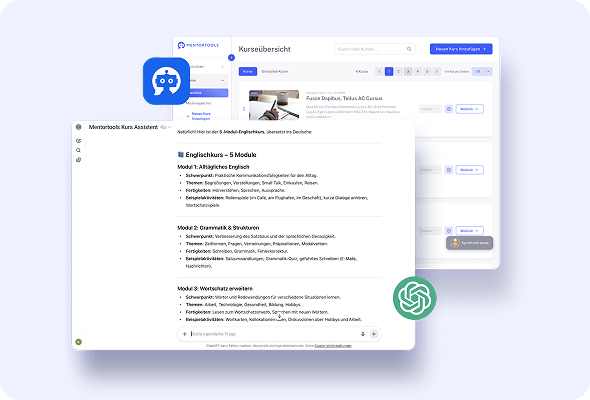
#3 All content types in one place
Add video, audio, text, images, and downloadable files directly inside each lesson—no plugins or extra tools required. Everything lives in one clean workspace, so you stay focused on teaching instead of managing tech.
Your students enjoy a seamless experience—watch, read, listen, and download without jumping around. The easier it feels, the more they engage, return, and recommend your course to others.
#4 Drip and conditional content
Release lessons on your schedule—daily, weekly, or after a quiz—and require key steps before unlocking the next part. This guided path reduces overwhelm and keeps learners moving in the right order every time.
With steady pacing, students absorb more and abandon less. Completion rates rise, refund requests fall, and you create a premium learning experience that supports long-term customer value.
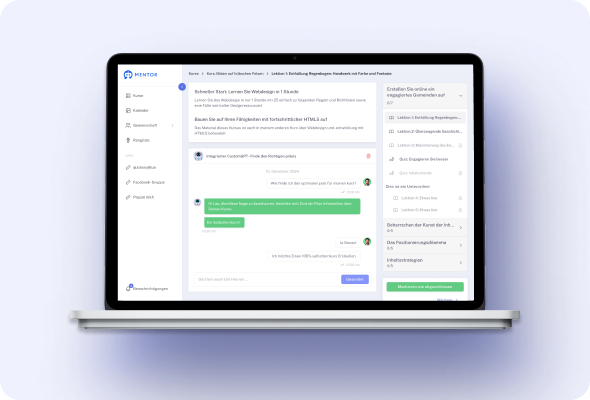
#5 Quizzes that boost completion
Drop in quick checks or full assessments, set pass scores, and give instant feedback so learners know they’re improving. Use quizzes to reinforce key ideas, reward progress, and automatically unlock the next step.
Assessment turns passive watching into active learning. Students feel confident, you see real results, and your course earns a reputation for quality that helps future sales.
#6 Progress bars & smart tracking
Students always see how far they’ve come and what’s next, which motivates them to keep going. You get clear analytics that highlight drop-off points and lessons that need attention.
Small fixes based on this insight create big gains: smoother lessons, higher completion, and happier customers. Over time, your course becomes a finely tuned product that consistently delivers outcomes.
#7 Mobile-ready by default
Every page, module, and lesson is automatically optimized for phones and tablets—no extra formatting required. Learners can watch videos, download files, and take quizzes on the go.
More flexibility means more study time for busy people. When students can learn anywhere, they progress faster, complete more, and feel great about the value they’re getting.
#8 Brand it your way
Pick a template, add your colors, logo, and cover images, and your course instantly looks like your brand—not a generic platform. Update styles anytime without rebuilding content or breaking pages.
A consistent, professional look builds trust from the first click and supports premium pricing. Students recognize your brand, feel confident in your expertise, and are more likely to buy again.
Only with Mentortools: unlimited features
Sign up now and enjoy unlimited use of Mentortools.

Your Mentortools account includes an unlimited number of courses. Create one course or 300 – there are no limits when you use Mentortools.

Invite as many members (clients, employees, etc.) as you want. No more annoying limits holding you back – scale without restrictions.

You and your members can upload as many videos, audios, images, and files as you like. No need for extra video hosting services.

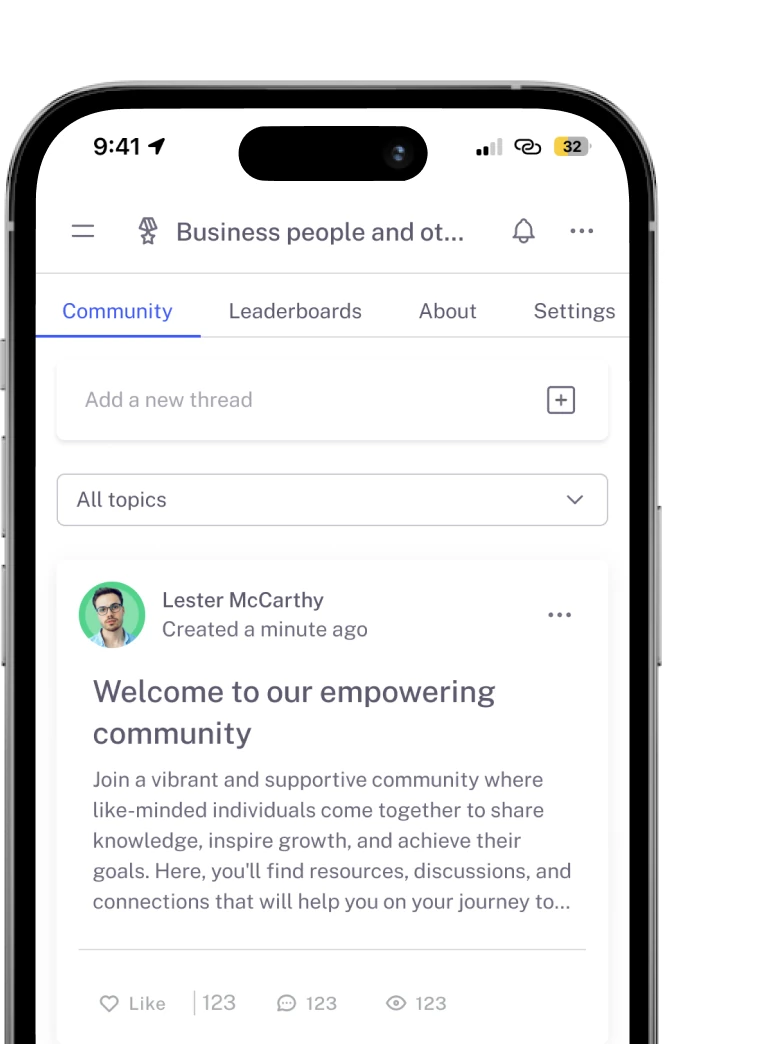
Create as many communities as you want inside Mentortools – with groups, posts, comments, and members. Total freedom to engage and grow.

Mentortools also lets you create unlimited chat groups with your users, whether directly with you or between members. Maximum flexibility.

Mentortools includes unlimited landing and sales pages. Create as many as you want with a modern visual builder.
Upcoming Features
We are constantly adding new features to make your life even easier. The following features are already well underway and coming soon.

Live-Streaming
Soon you will be able to use our upcoming live-streaming feature to host workshops directly inside your course or community. This allows you to offer high-quality live coaching sessions right within Mentortools - without needing any other software.

More Gamification
We will soon introduce additional customizable gamification features. These will let you reward course participants with community points, set up points for course or community purchases, and much more – making learning even more engaging.

Sales Chatbot
Our integrated chatbot is currently in beta and available to selected customers for testing. Very soon, the feature will be rolled out to help your chatbot proactively recommend and sell targeted additional products to your customers.